Close temporary your shop with the Holiday Mode
Last updated: September 7, 2026
This feature lets you take a break while ensuring that retailers are informed. Your products will remain visible, but you won’t receive new orders.
What is Holiday Mode?
Holiday Mode is a feature that temporarily pauses orders on Ankorstore. During this period, a banner will be displayed on product and brand pages to inform retailers of your absence.
You remain responsible for fulfilling any orders received before the start of Holiday Mode.
This includes:
Accepting the orders
Shipping the products
Managing any issues, such as damaged items or returns
How do I activate Holiday Mode?
To activate Holiday Mode:
Step 1: Navigate to your Settings and click “Shop settings”
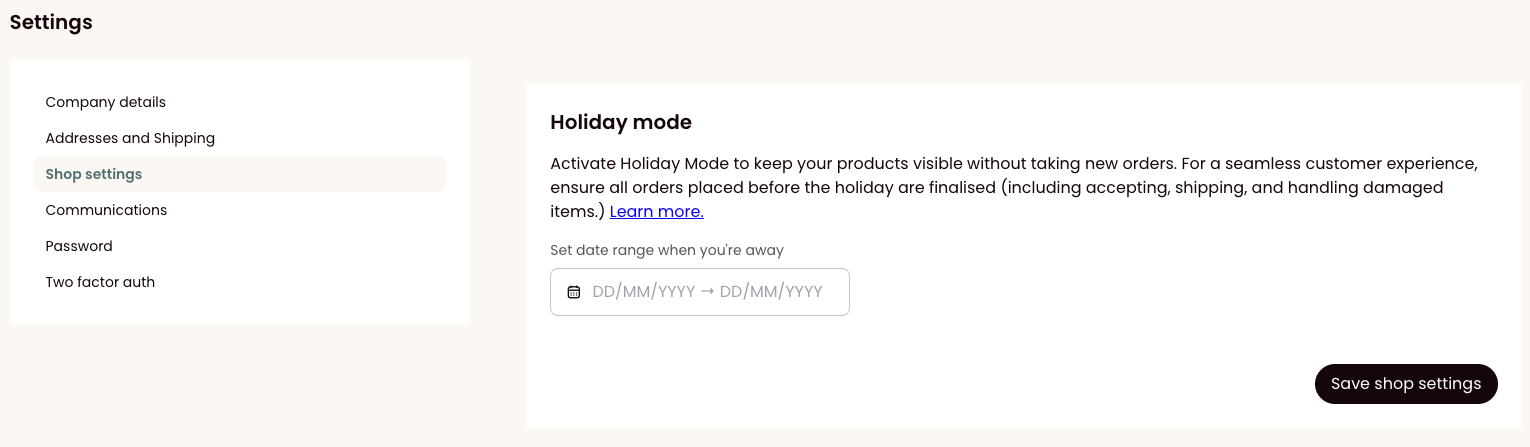
Step 2: Set the start date (From) and the end date (To) of your holiday.
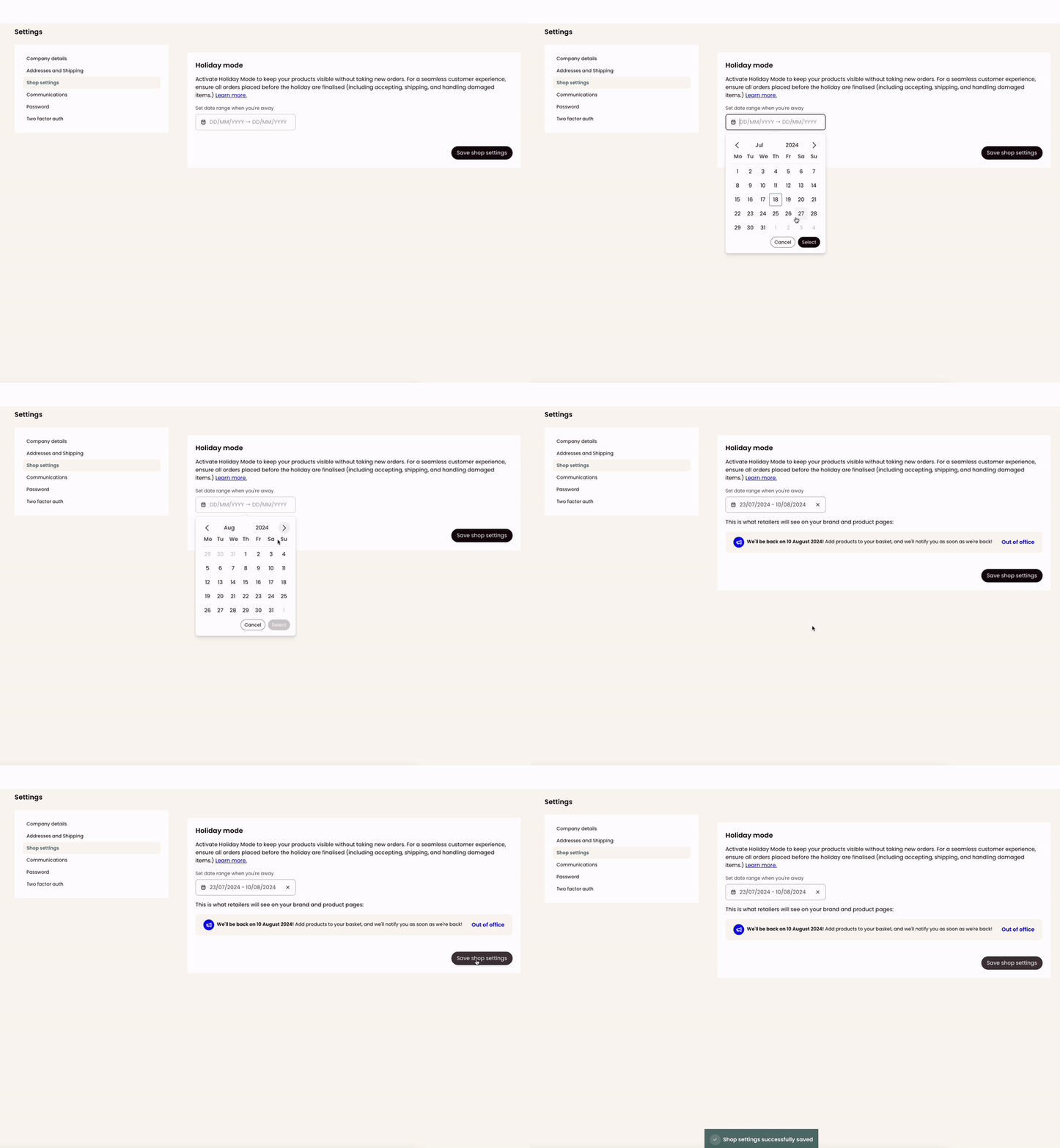
Step 3: Click “Save shop settings.”
Step 4: A message at the bottom of your page will appear to confirm your holiday mode is activated.
What information will be displayed to retailers during Holiday Mode?
A banner will be displayed on your product and brand pages. It will inform retailers of your absence and the date when you will be back.

What happens to my products and orders during Holiday Mode?
Your products will still be visible, but a banner will indicate that you are on holiday. Retailers can add your products to their cart, but they won't be able to place the order until the end of your holidays. Retailers will receive a notification once you are back.
Can I modify or cancel Holiday Mode once it is set?
Yes, you can modify or cancel Holiday Mode anytime through your settings. Any changes will be immediately reflected on your product and brand pages.
To cancel Holiday Mode:
Step 1: Navigate to the Holiday Mode settings
Step 2: You will see a cross (X) next to the date range. Click on the cross to cancel Holiday Mode.
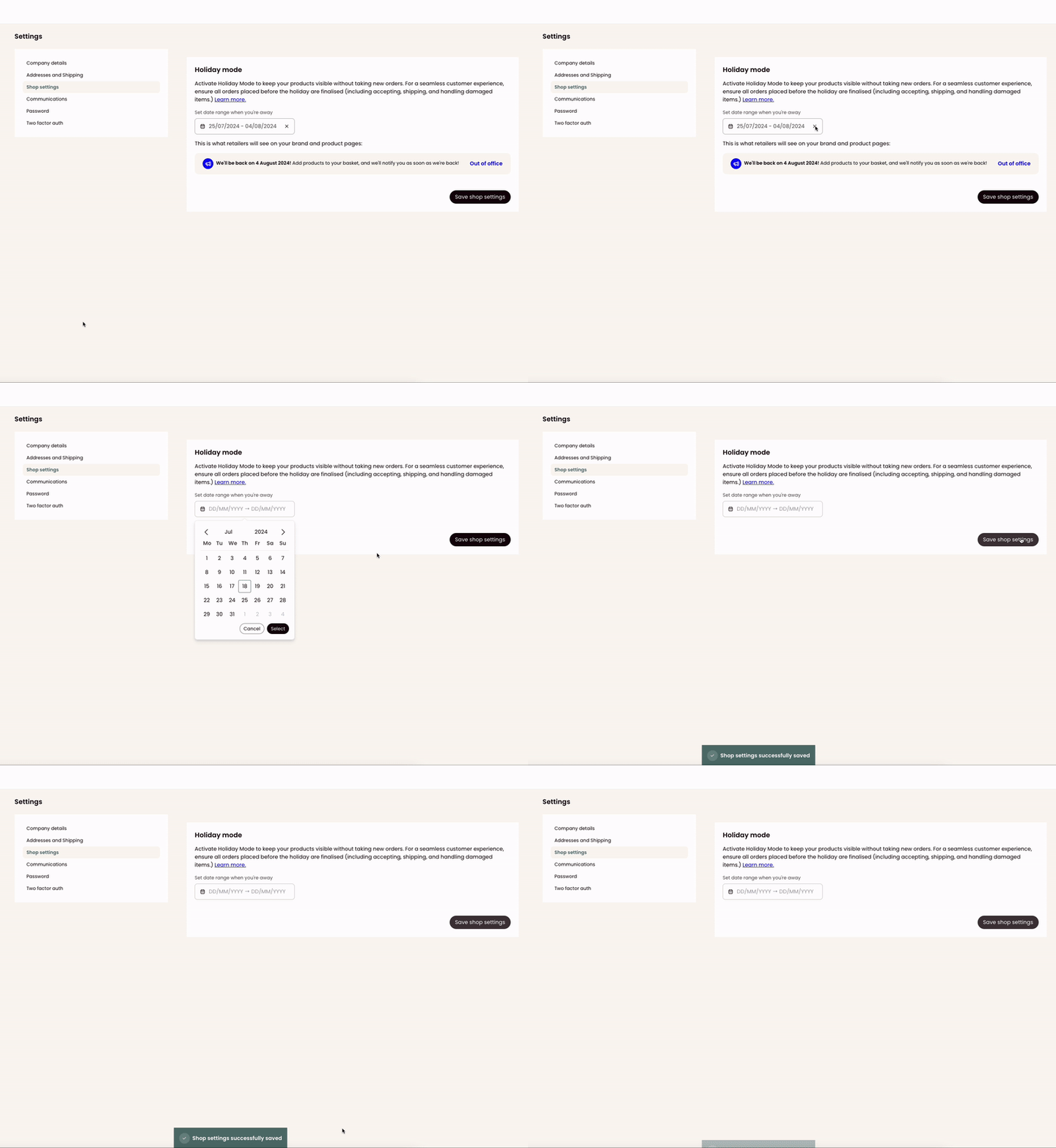
Step 3: A message at the bottom of your page will appear to confirm your holiday mode is desactivated.
Will Holiday Mode automatically deactivate on the set end date?
Yes, Holiday Mode will automatically deactivate on your set end date. The banner will be removed, and your operations will resume as usual.