Invoices and accounting
Last updated: September 2, 2026
Billing system at Ankorstore
Ankorstore issues invoices related to an order, as well as monthly invoices linked to services.
Invoices related to an order
The invoice issued on your behalf for your client. It includes:
The unit prices of the products (after discounts funded by the brand if applicable) ordered multiplied by the quantity
The total VAT applied to these products
Shipping fees (if applicable)
The total VAT applied to these shipping fees
The invoice issued by Ankorstore for you. It includes:
Payment fees (3% of the total amount of the order including VAT)
VAT applied to these payment fees
These invoices are initially generated as pro forma (thus temporary) as soon as the order request is received by the brand. They are then replaced by final invoices, having legal value, when your client confirms receipt of the order.
Monthly invoices linked to services
Invoice for acquisition fees. It summarizes the clients brought by Ankorstore during the previous month, as well as the VAT applied to these acquisition fees.
Logistics invoice. It summarizes the transport fees related to the use of our partner carriers, as well as the VAT applied to these fees.
These invoices are generated only if you have used one of these services. They are available as pro forma from the first day of the month, then replaced by final invoices on the 5th of the month.
FAQ
How to access and download your accounting documents?
You can find all your accounting documents in the section Finance.
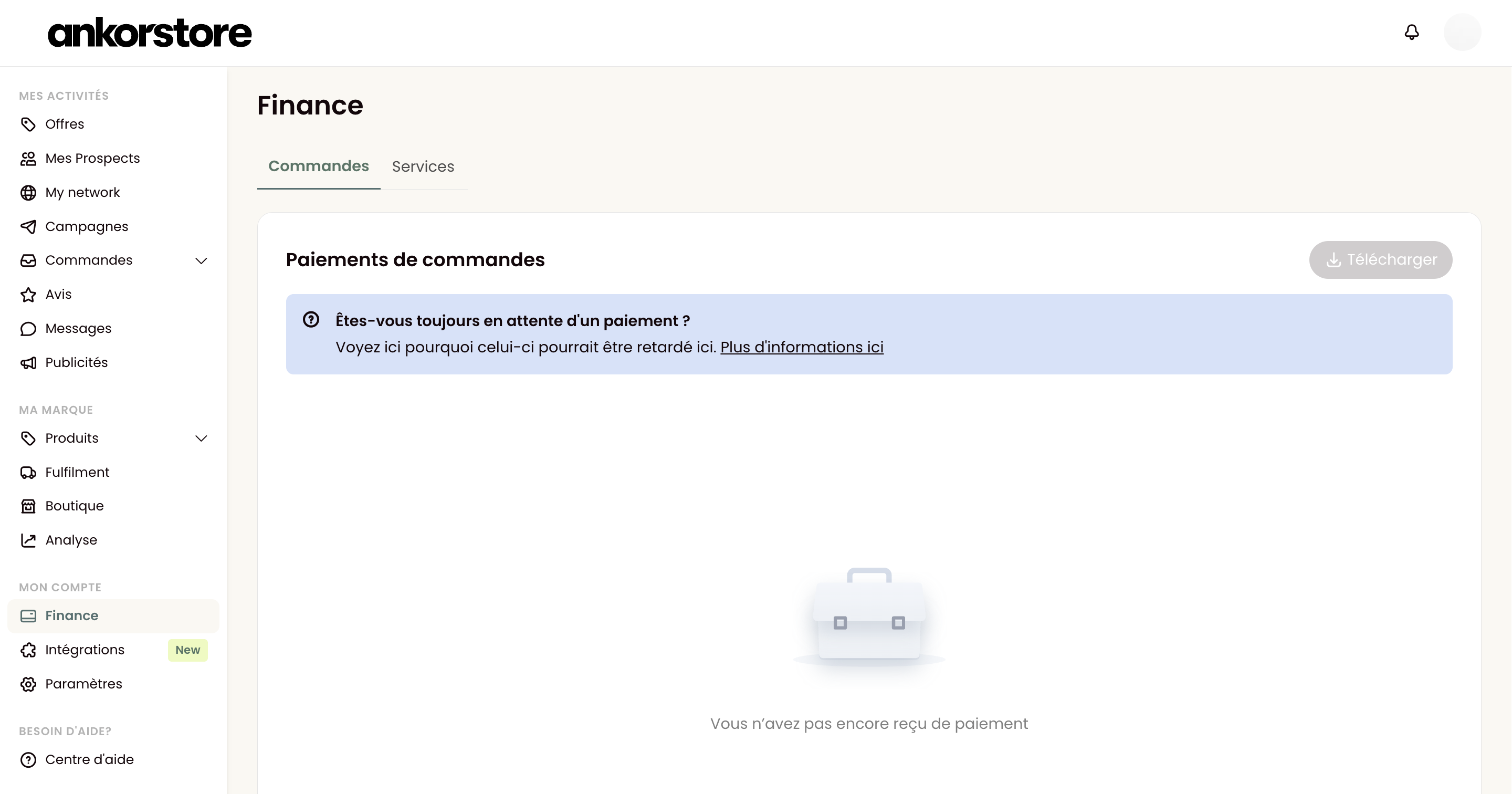
Select the period, document types and formats of your choice:
Simplified Accounting Export will facilitate your reconciliation. Each line corresponds to an invoice (order or fees) and is linked to a payment reference. It is available in csv and xlsx formats.
Complete Accounting Export is a detailed table listing all the details of your invoices, item by item. It is available in csv and xlsx formats.
Invoice export is the collection of order and fees invoices in pdf format.
Click "Generate" to create a link allowing you to download them directly from your browser. This may take several minutes, you will receive a notification once ready.
The downloaded document will be in zip format, so you will need to unzip it to access your documents:
On Windows:
Double-click on the zip file
Click "Extract all" in the toolbar
Choose the destination folder
Click "Extract"
On Mac:
Simply double-click on the zip file
The system will automatically decompress the file in the same folder
How to see the orders corresponding to received payments?
To track your payments, go to the Finance section of your account. There you will find the list of your latest received payments and upcoming transfers to your bank account.
Each payment has a unique identifier starting with "po_ ". Under each payment, you can directly consult all associated orders, their invoices and corresponding fee invoices.
Note: Each transfer corresponds to: The total amount of the order(s) invoice(s) MINUS the total amount of associated fee invoices (including transportation fees).
What is Ankorstore's pricing model?
To understand the structure of our price model for brands, please see the dedicated article: 📄 What is Ankorstore's pricing model for brands?
What to do when invoices contain erroneous information?
Once the order is received and validated by the seller, we cannot modify the invoice. We recommend carefully checking your order details and contacting our Customer Service for any assistance in case of an error or discrepancy before validation.
Where can I find my payment settings?
Your payment configuration can be found in a dedicated section within the Settings tab.