Starting as a retailer
Last updated: September 24, 2026
Sign up on Ankorstore to access more than 30,000 European brands and benefit from competitive purchasing conditions. Optimize your daily operations with our all-in-one platform that lets you manage everything in one place, from multi-brand orders and shipment tracking to invoices, deferred payments, discounts on restocking orders, and more.
Who can purchase on Ankorstore?
Ankorstore is a B2B marketplace dedicated to the wholesale sale of products to independent retailers.
To buy on Ankorstore, you must be a registered retailer with a valid local registration number.
You do not need a VAT number to register on Ankorstore.
Until you're registered, you cannot access wholesale prices or place an order. Independent British and German retailers can also register on the platform.
Once you've registered on our platform, additional information may be requested to verify your business. (Verification can take up to 24 hours). It's imperative that our platform remains exclusively beneficial for both independent brands and retailers.
You can place an order on Ankorstore while your verification is in progress.
Why is my order stuck in pending validation or verification status after payment?
If additional documents are required to progress your verification, our finance team will contact you. If you'd like to check missing documents, visit your settings.
What we consider an independent retailer:
An Ankorstore retailer has either a physical store (brick & mortar), an independent e-shop, or a permanent retail point with a full range of products; they buy at wholesale prices and resell the products at retail prices, with retailing as their main activity.
An Ankorstore retailer does not buy products to give them away (e.g., corporate gifts) and does not use products as supplies/consumables for their professional activities (e.g., massage oil for paramedical activities).
British and German sole entrepreneurs can also register on the platform.
To give concrete examples, you are not eligible to purchase on Ankorstore if you :
Resell only on Amazon or Ebay
Resell only on Facebook, Instagram, Etsy, or other third-party marketplaces.
wish to purchase on Ankorstore for corporate gifts
You want to buy products as "Non-resale goods" for your business.
You wish to buy products for the personal use of your business or team.
Dropshipping companies are not allowed on the platform
Please note :
You may be asked to submit registered documents to verify and confirm your identity.
Ankorstore reserves the right to refuse any client not meeting our criteria.
Brands may refuse an order if they consider that your store does not meet their criteria.
Which countries are eligible to purchase on Ankorstore?
Currently, we are available for purchase in the following countries:
Germany
Austria
Belgium
Bulgaria
Cyprus
Croatia
Denmark
Spain (excludes Balearic islands, Canary Islands)
Estonia
Finland
Metropolitan France (excludes French overseas territories and Monaco)
Greece
Hungary
Ireland
Italy
Latvia
Lithuania
Luxembourg
Malta
Netherlands
Poland
Portugal
Romania
United Kingdom (excludes Channel Islands)
Slovakia
Slovenia
Sweden
Switzerland
Place or reorder on Ankorstore
How to place an order on Ankorstore?
To place an order, you must be logged into your Ankorstore account, which means you must be registered.
Step 1 : Search and add products to your basket
> Select a brand > select a product > choose quantities > Click " Add to basket ".
Step 2: You can view your basket.
> Click on your basket at the top right.
Step 3 : Confirm your order:
Specify your billing and shipping addresses
Add promo codes
Use your preferred payment method
Step 4 : After confirming your order, you may receive an email from our finance team during the order validation process. You will need to go to settings to complete the validation, which will be on the orders page/mentioned or linked to the orders page.
My shop isn’t open yet. Can I register on Ankorstore?
Yes. Even if your shop isn’t open yet, you can sign up for free on Ankorstore. You will also automatically gain access to Ankorstart, our program designed for future retailers.
This program will help you refine your business concept and craft a solid assortment strategy. This will strengthen your position during funding research, allow you to create a complete business plan, attract a wider customer base, and sustainably retain your clientele.
By joining the more than 100,000 shop owners already part of the Ankorstart community, you’ll access unique advantages:
Events and online resources: advice, tools, and networking opportunities with brands, business coaches, and peers.
Excellent purchasing conditions : access to Ankorstore's ultra-competitive purchasing conditions from the launch of your business.
Discover Ankorstart
I still don’t have my SIREN number, can I order on Ankorstore?
To place your first order, you’ll need your SIREN number. However, you can already prepare your first assortment by exploring Ankorstore’s extensive catalog and benefiting from resources available on our blog.
How to shop locally on Ankorstore?
If you’re looking for brands from your region, that share your values or guarantee attractive margins, our filters let you find exactly what you’re looking for in just a few clicks.
How to filter brands by country or region of origin?
Select the category of your choice from the navigation bar on our website.
Click on "All filters" to choose your filters.
Pick the filters you wish to use, e.g., "Brand location".
Select the region where you’d like to shop
Click "Apply filters".
Browse the brands displayed based on the filters you selected.
You can select multiple filter options for a search. For example, you can select "Brittany" and "Normandy" to view brands from these two regions in a single search.
Filters can be reset at any time by clicking the "Reset all filters" button.
Can I order samples?
No, it is not possible to order samples.
How to easily manage restocking on Ankorstore?
As a retailer, you have two options for restocking conveniently and quickly on Ankorstore.
Reorder previously tried brands while mixing and matching products
Step 1 - Go to the "Reorder” tab
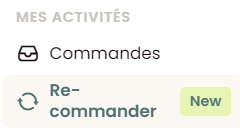
Step 2 - View all the brands you've ordered from in the past
Step 3 - Click on the "Reorder" button
Step 4 - Select the products and quantities you want to reorder
Step 5 - Click "Add to my basket"
Step 6 - Complete your purchase
Please note:
You can search for a product by typing its name or SKU.
You can switch between brands by clicking "go to next brand".
All products you select will be added to one basket, even if they come from different brands.
By default, you will see the previous quantities you ordered for each product, and you can change these quantities at any time.
You can view the total amount of your basket at the bottom of the page
Reorder products from the same order
Step 1 - Go to the ”orders” tab
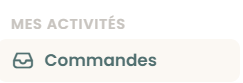
Step 2 - Click on the "Reorder" button available next to each completed order
Step 3 - Select the products you want to reorder
Please note that you cannot modify quantities at this stage
Step 4 - Check your basket and modify product quantities if necessary
Step 5 - Complete your purchase
Can I use a brand’s product photos?
All product images on Ankorstore belong to their respective brands and are protected by copyright. To use these images for marketing or commercial purposes, you must obtain the explicit permission of the brand owner. This ensures the protection of the brand’s intellectual property and appropriate representation of their products.
The best way to proceed is to:
Contact the brand directly through our messaging platform
Request their written permission to use the images
Follow any specific guidelines they provide regarding the use of images
If you need to showcase products before receiving approval, we recommend taking your own professional photos once you receive the physical products.
Receiving a prepared order from a brand
Some brands prepare orders directly from their Ankorstore account and share them with you as a pre-populated cart. All you need to do is review the products and place your order.
What is a prepared order?
A prepared order is a cart that a brand has put together for you from their Ankorstore account. You receive an email containing the products and quantities selected by the brand. You can review and adjust quantities and/or products before placing your order.
How do I access my prepared order?
Step 1 — Open the email sent by the brand and click the link to access your prepopulated cart. You can also directly find your prepared order in your cart under the tab “Prepared by brand”.
Step 2 — Review your cart, adjust quantities and/or products if needed, then place your order as usual.
Note: If you're not yet registered on Ankorstore, you'll be asked to create an account before you can complete your order.
What happens to the products already in my cart?
You have products from other brands in your cart: the prepared order is added without affecting those items.
You already have products from this brand in your cart: the new products suggested by the brand will be added to your existing selection.
Are VAT and shipping fees applied?
Yes. Applicable VAT and any shipping fees are automatically calculated and added at checkout, based the brand's conditions.
Are discounts applied?
Personalised discounts and product discounts linked to your account are automatically applied to your cart. If you have a promo code, you'll need to enter it manually at checkout.
What if a product's price or availability has changed?
Product availability, stock quantities, and prices are automatically updated when you add the order to your cart. The information always reflects the most up-to-date version of the brand’s catalogue at the time of your checkout.
Looking for tips and online resources?
Discover our blog where we regularly publish tips, news, sector updates, and digital guides specifically for retail entrepreneurs.
Report a brand
Can I leave a review for a brand?
We believe your experience can benefit other retailers on Ankorstore and help them shop with confidence. That’s why we ask you to leave a review for every order you’ve received.
How to write a review?
You can submit a review directly from the order tab in your personal space on the platform, or from the notification you will receive on the platform.
When can I add a review for a brand?
You can write a review for a brand as soon as you receive their order, within 2 weeks of reception.
How long after receiving my order can I write a review?
Each order you’ve received is available for review for up to 2 weeks after its reception. After the 2-weeks delay expired, Ankorstore reserve itself the right to submit a 5-stars review, mentioning that the transaction was successfully completed.
What should the review focus on?
The review focuses on your ordering experience with the brand. You can evaluate your order based on five key criteria and then add your personal comment.
The 5 evaluation criteria are as follows :
Overall rating: How do you rate your overall ordering experience?
Accuracy : Do the online description and photos match the product you received?
Condition of goods and packaging: Did you receive your order in satisfactory condition (e.g., merchandise or packaging wasn’t damaged/no items were missing or incorrect)?
Communication: Was the brand {Brand Name} responsive, did you get the needed information about your order?
Value for money : Would you say the product quality is adequate for its price?
Prohibited and restricted content
The following policies apply to reviews and photos. Content that does not meet these criteria may be rejected for publication on Ankorstore.
Contributions to our reviews must reliably represent the ordering experience and the product(s) in question. If contributions misrepresent the truth, we will remove the content. This includes reviews and photos not related to the brand being reviewed. If content is inaccurately associated with a brand or associated with an incorrect product, the contribution may be rejected.
Reviews are processed to detect inappropriate content such as fake reviews and spam. We may delete reviews flagged by brands to comply with our review policy.
Here are examples of prohibited and restricted contents:
Hate speech
Offensive content
Personal information
False information
Misrepresentation of facts
Sexually explicit content
Dangerous or illegal content
Off-topic information (not specific to the brand or uncontrolled by Ankorstore)
Advertising and solicitation
Repetitive content
Where will my review be published?
Once approved, your review will be publicly visible on Ankorstore.com, on the product and brand page corresponding to your order.
How long does it take for my review to be published?
If the review complies with our policy, it will be published publicly two days after submission.
How can I know my review has been approved and published?
No news from us is good news for your review. This means it’s online 2 days after you initially submitted it. If you want to be sure it’s online, you can check its status in your order summary, from the order tab in your personal space.
Can I appeal if my review is disapproved?
You can request a second evaluation by contacting our moderation team. Please read our review policy before submitting your request.
Can I delete or edit a review?
You cannot delete or edit a review once published. If you do not wish to share your experience, please don’t publish it.
What are the different review statuses and their meanings?
Each review you write is associated with a specific status visible in your order summary, from the order tab in your personal space.
Under review: Your review has been received and is being examined by our team, taking 48 hours.
Marked under review: Your review was flagged by our team and won’t be published because it does not comply with our review policy.
Published: Your review has been validated by our team and is now live.
Not published: Your review was disapproved according to our review policy and will not be published.
Flagged: Your review has been flagged for deletion and will be examined by our moderation team.
Deleted: Your review was disapproved by our moderation team and removed from our platform.
How to report a brand or a product?
Have you encountered brands with incomplete catalogs, products with incorrect pricing or descriptions, or inappropriate images? You can contribute to reporting these issues and make purchasing safer for everyone by using Ankorstore.
How to do it?
To report a brand, click on the "Report this brand" button located below the brand description on each brand page.
To report a product, click on the "Report this product" button located below the product description on each product page.
You’ll be asked to detail the issue you encountered when reporting a brand or product. Your claim will then be reviewed by our internal teams.
Examples of issues to report
The brand’s catalog is incomplete
The brand displays incorrect information about the product (counterfeit, origin, material, dimensions, shipping dates...)
The brand's product prices are higher on Ankorstore than on other platforms.
The brand sends abusive or inappropriate communications.
The brand displays inappropriate product images
The brand asks me to deal outside of Ankorstore.
Thank you for making Ankorstore a safer place to shop!