Create a Starter Pack
Last updated: September 7, 2026
Why to create a Starter Pack?
A starter pack is a collection of products in your catalogue containing a curated selection of your items that retailers can buy to discover your range. It typically includes your bestsellers, sold by unit or low quantities, and helps new retailers test your products while increasing your average order value.
Steps to create the starter pack
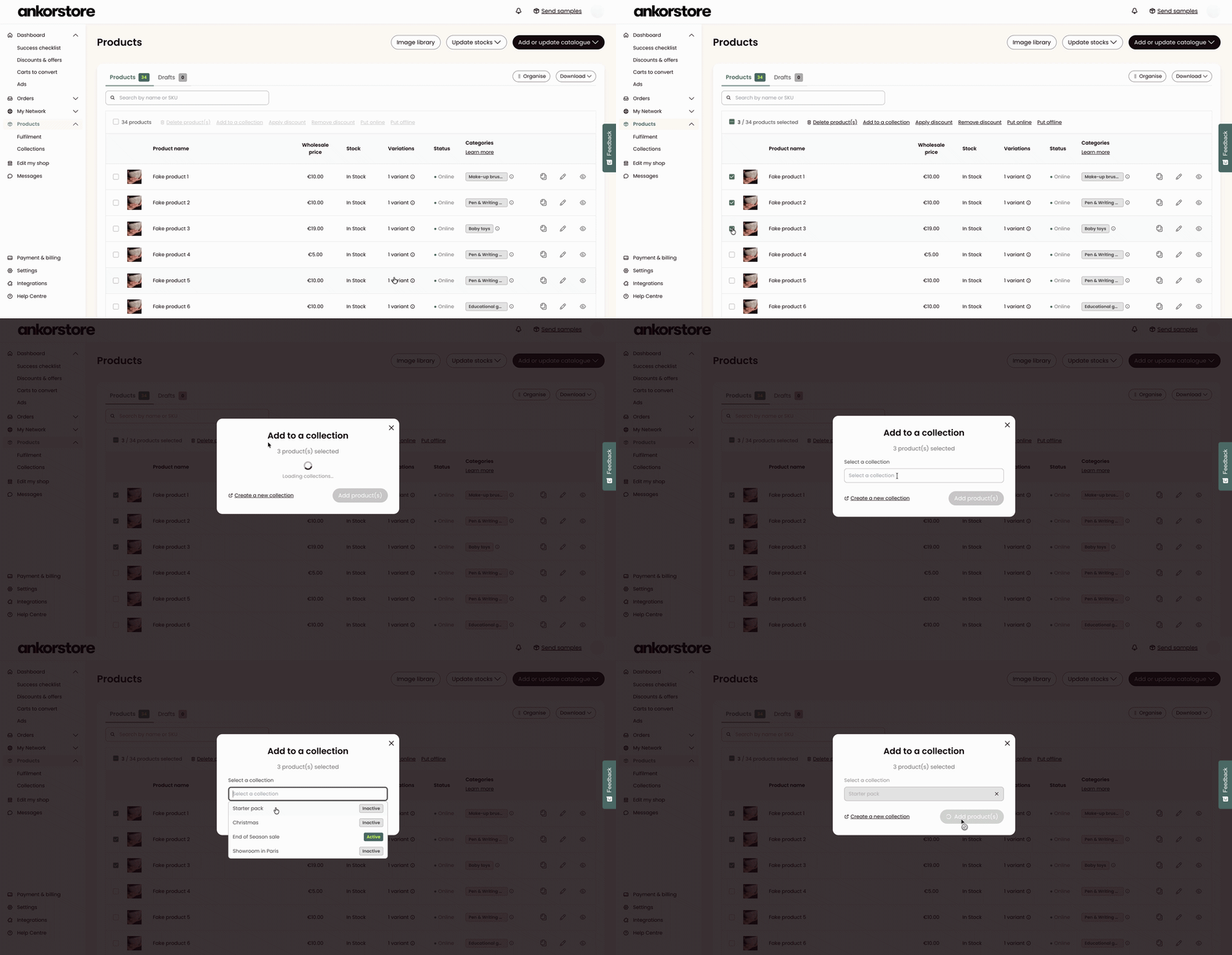
Step 1 - Add products to your Starter Pack
Go to the Products page
Select all the products that you want to add to this Starter Pack. You must add a minimum of 2 products to this collection
Click on “Add to a collection”
Select the “Starter Pack” collection in the dropdown and click on “Add Products”
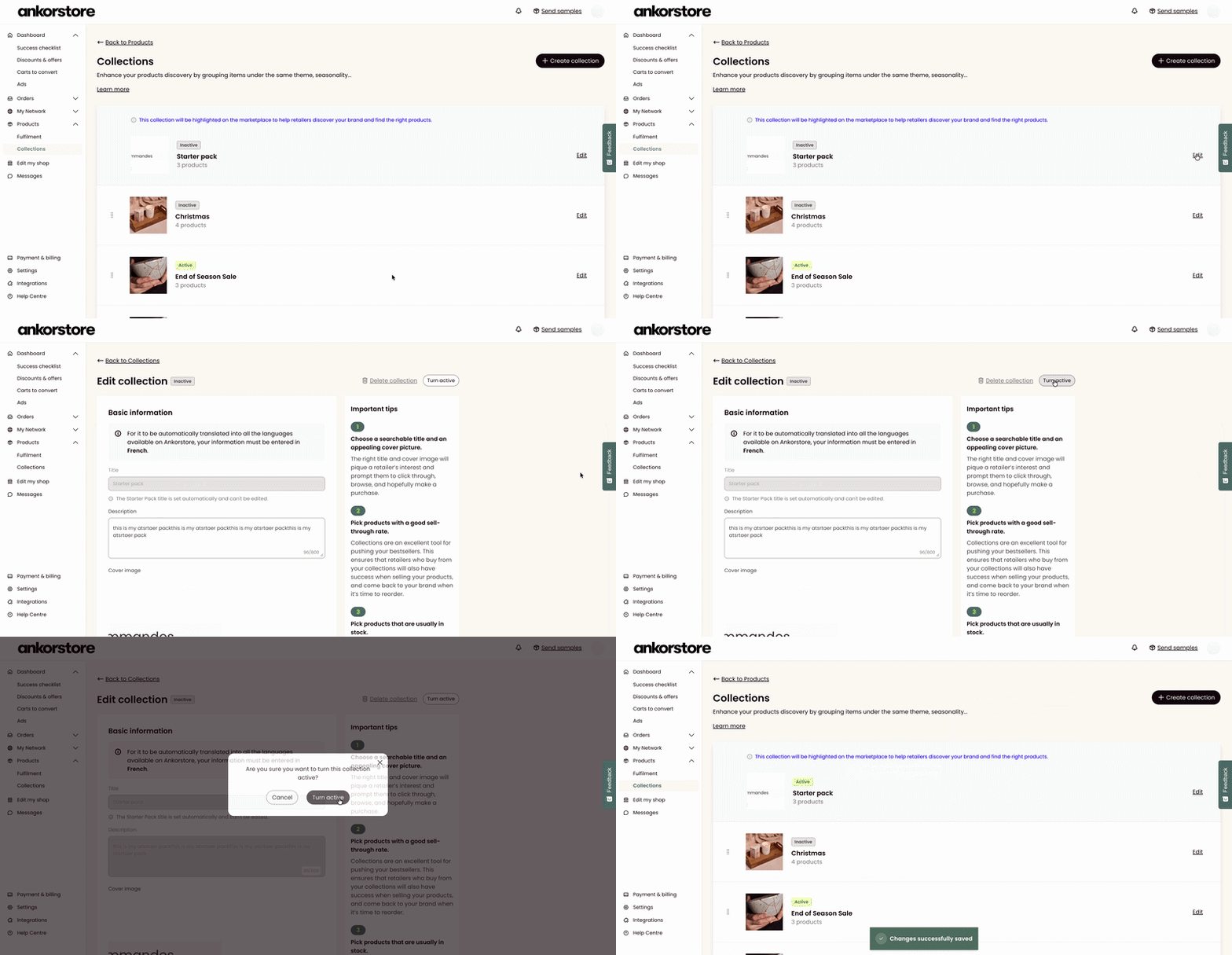
Step 2 - Activate the Starter Pack to make it visible to retailers
Go to your product Collections page
Click on “edit” the Starter Pack collection
Click on “Turn active” to make the collection visible to retailers