Send an external order
Last updated: September 7, 2026
Create an external order
By using the services of the Ankorlogistics fulfillment center, you can process your orders that were not placed on Ankorstore. We call them external orders.
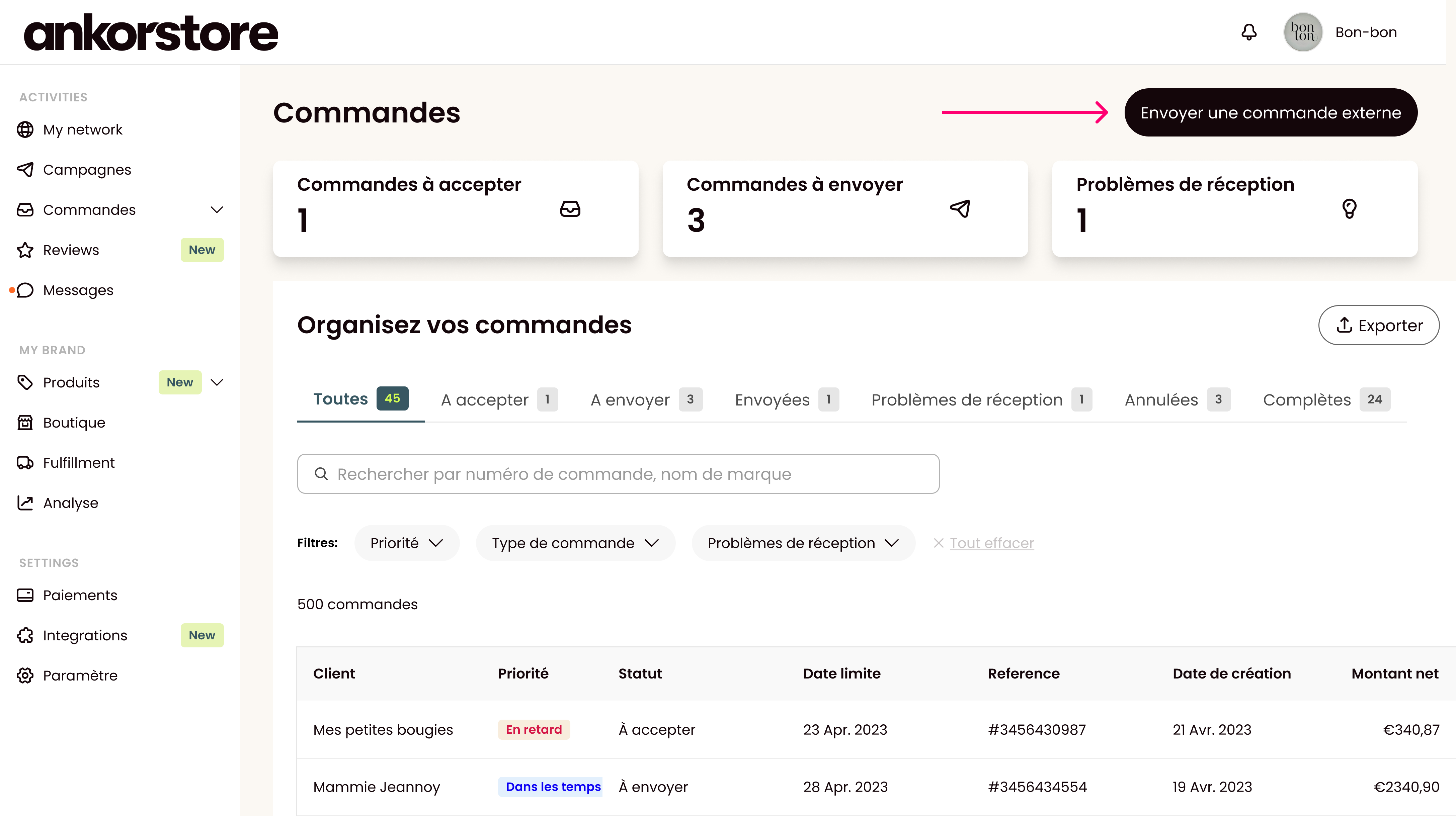
You can find the external order creation form directly in your orders section via the “Send an external order” button.
Customer Management
Create a new customer
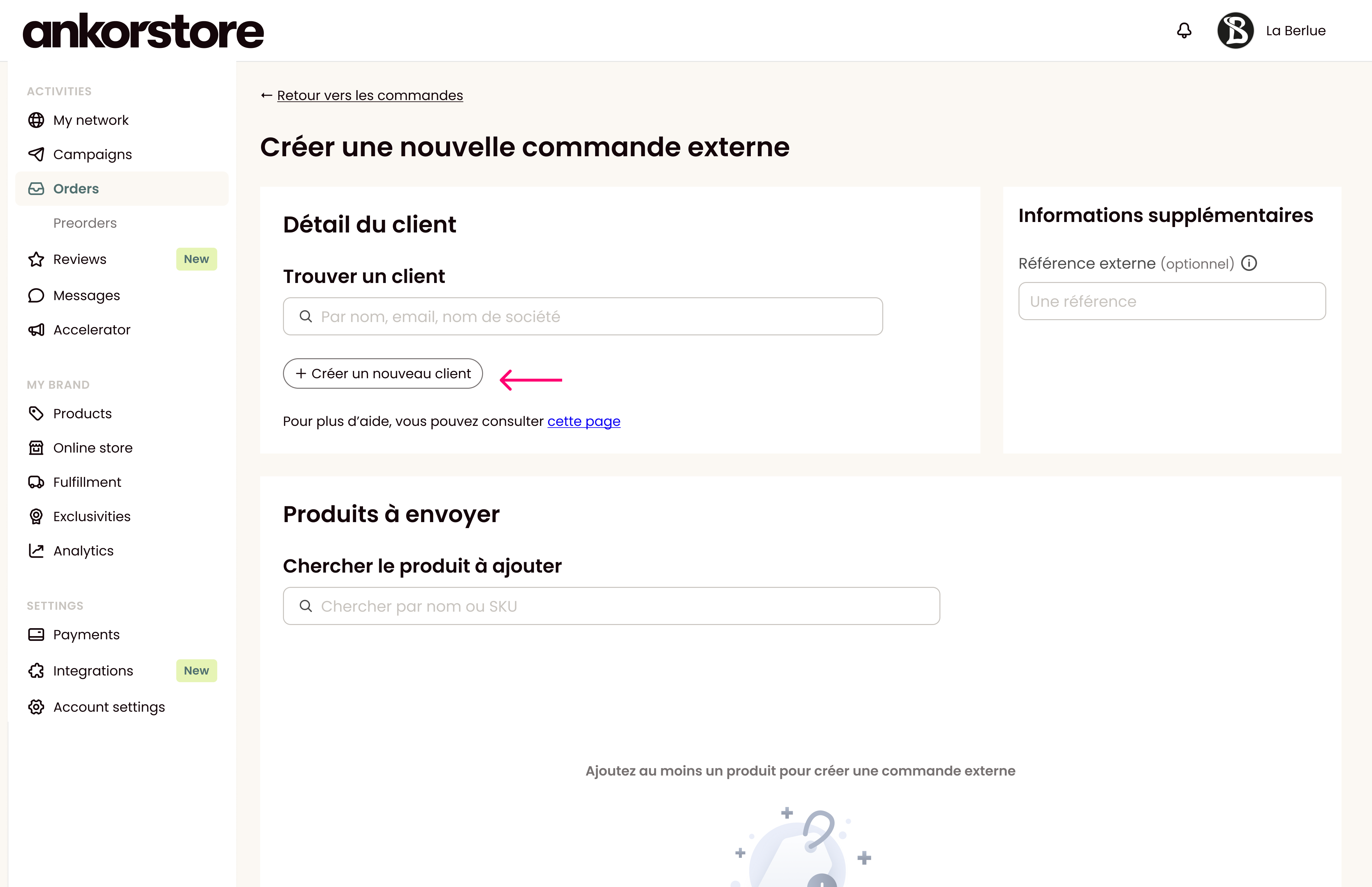
When you send an external order to a new customer, you will first need to click on “Create a new customer”.
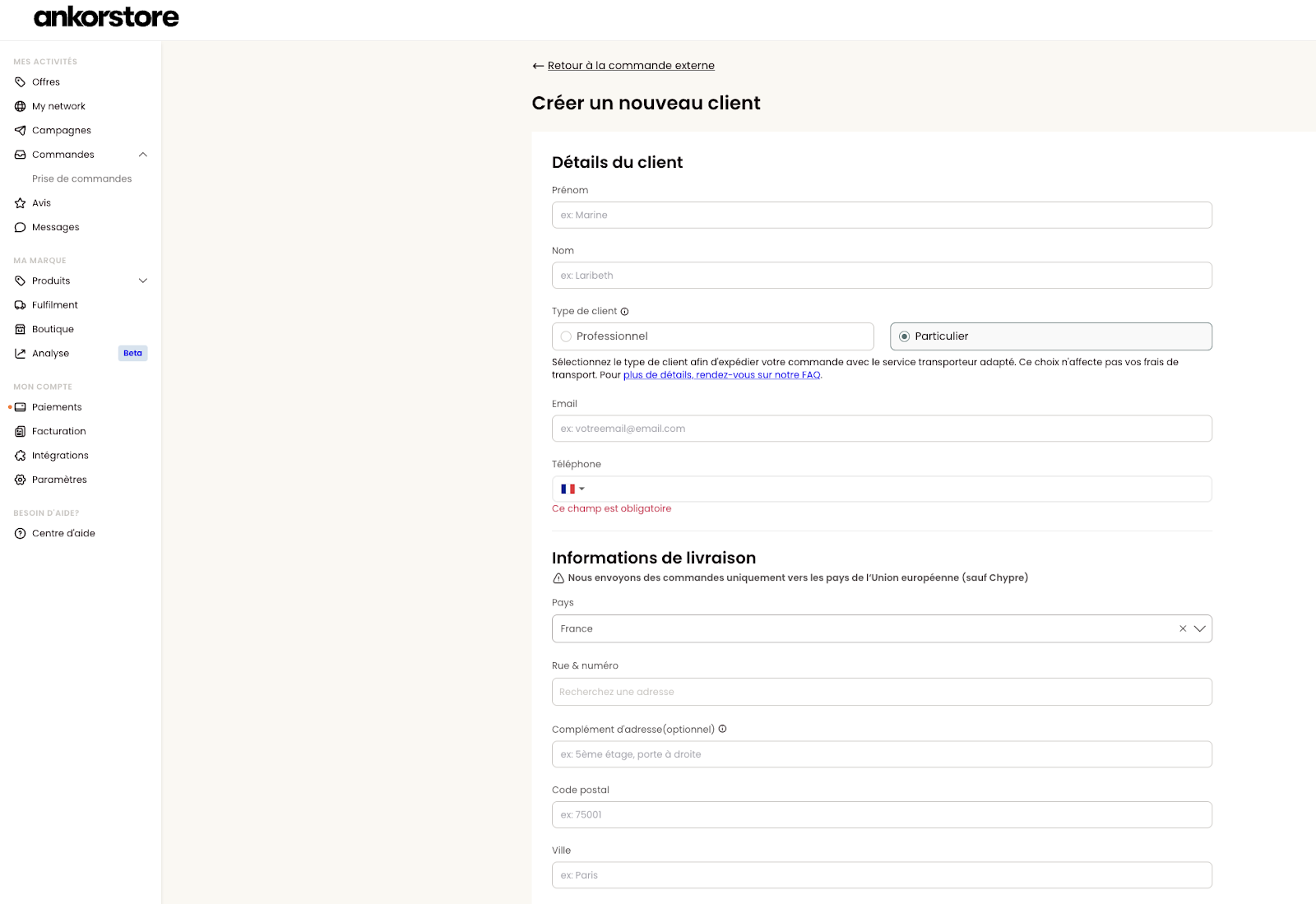
You will then need to fill in all the information related to this customer.
Name
First Name
Customer type (choose between Professional for B2B and Individual for B2C)
Business name (if the customer is a Professional)
Email
Phone number
Shipping address
Country (we only deliver to countries within the European Union except Cyprus)
Street and number
Postal Code
City
We now use Google address search, so the street and number can be automatically generated and verified.
An additional address field can be used to provide more details.
Note: As the available space on shipping labels is limited, we have a 60-character limit. This limit will be calculated by adding the street and number field and the additional address field.
Update as of October 2025:
You can add special delivery instructions for your customer. To do this, refer to the article 📄 Special Instructions – External Order Form.
Once this information is filled out, click on the “Save information” button.
Note: An email address can only be used once.
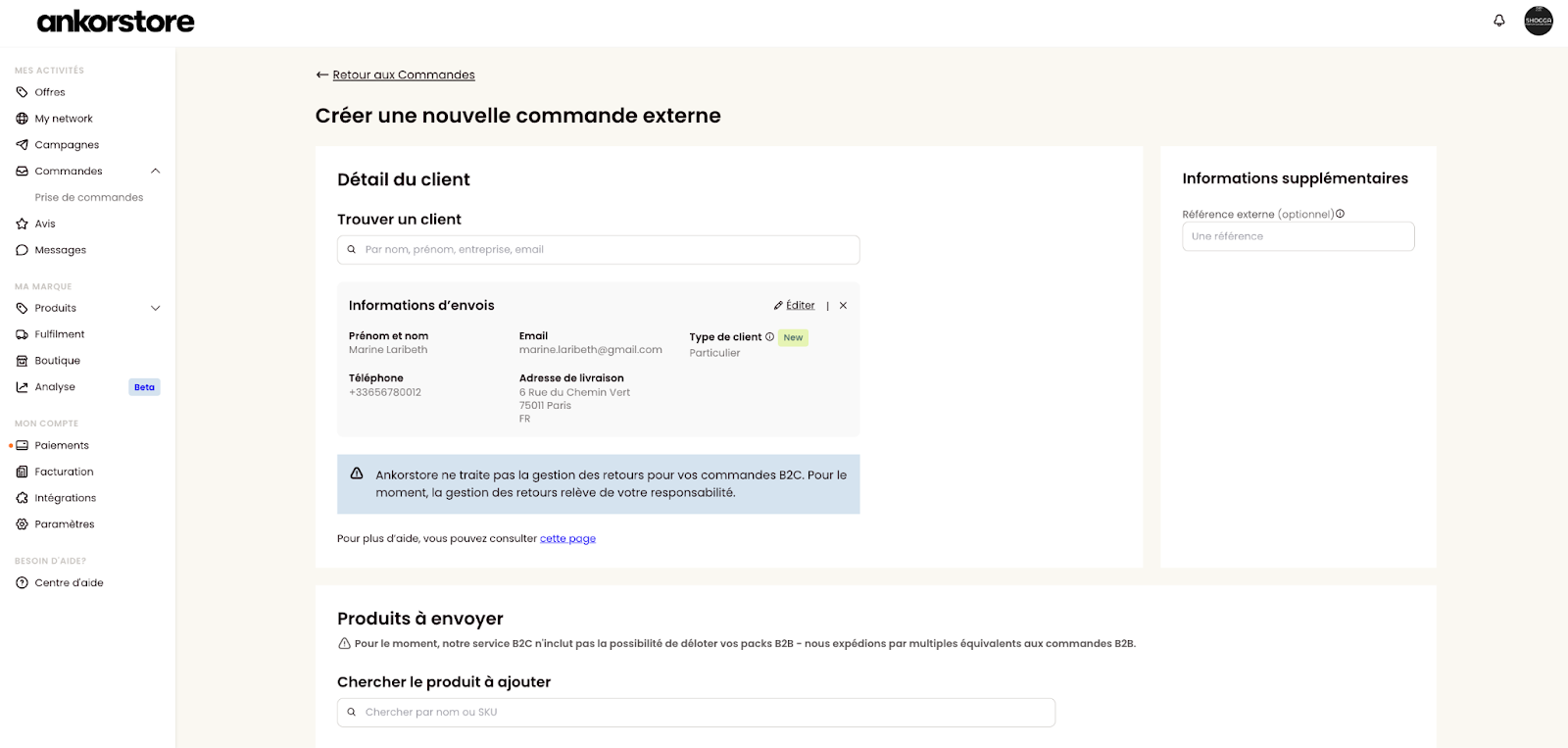
Your customer is now created, and you are redirected to the order creation page with this new customer selected for your order.
Search for an existing customer
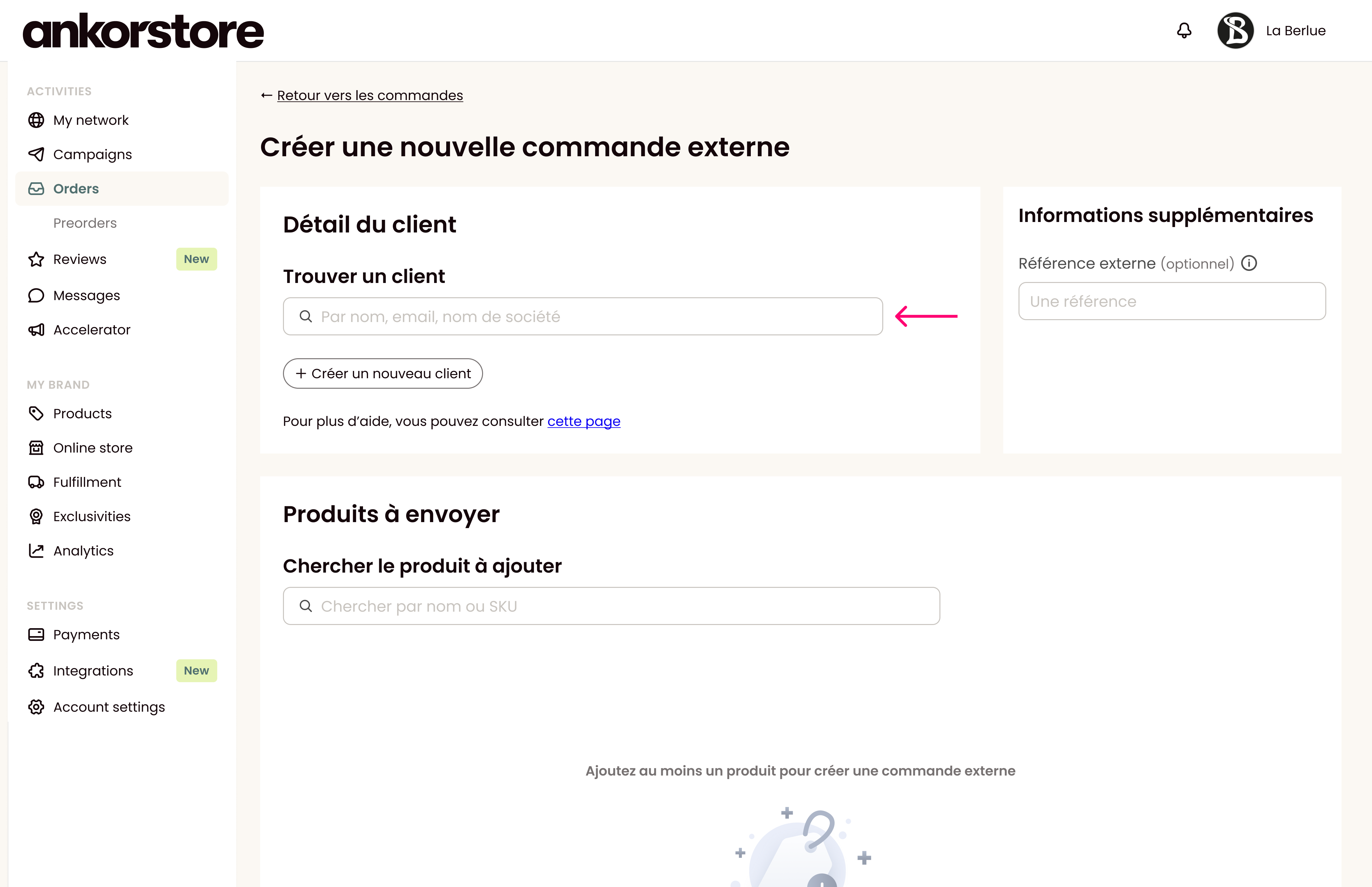
To search for an existing external order customer, simply click in the search bar, and you will start seeing results after typing the third letter.
You can search by:
Customer Name
Customer First Name
Customer Email
Business Name
Edit customer information
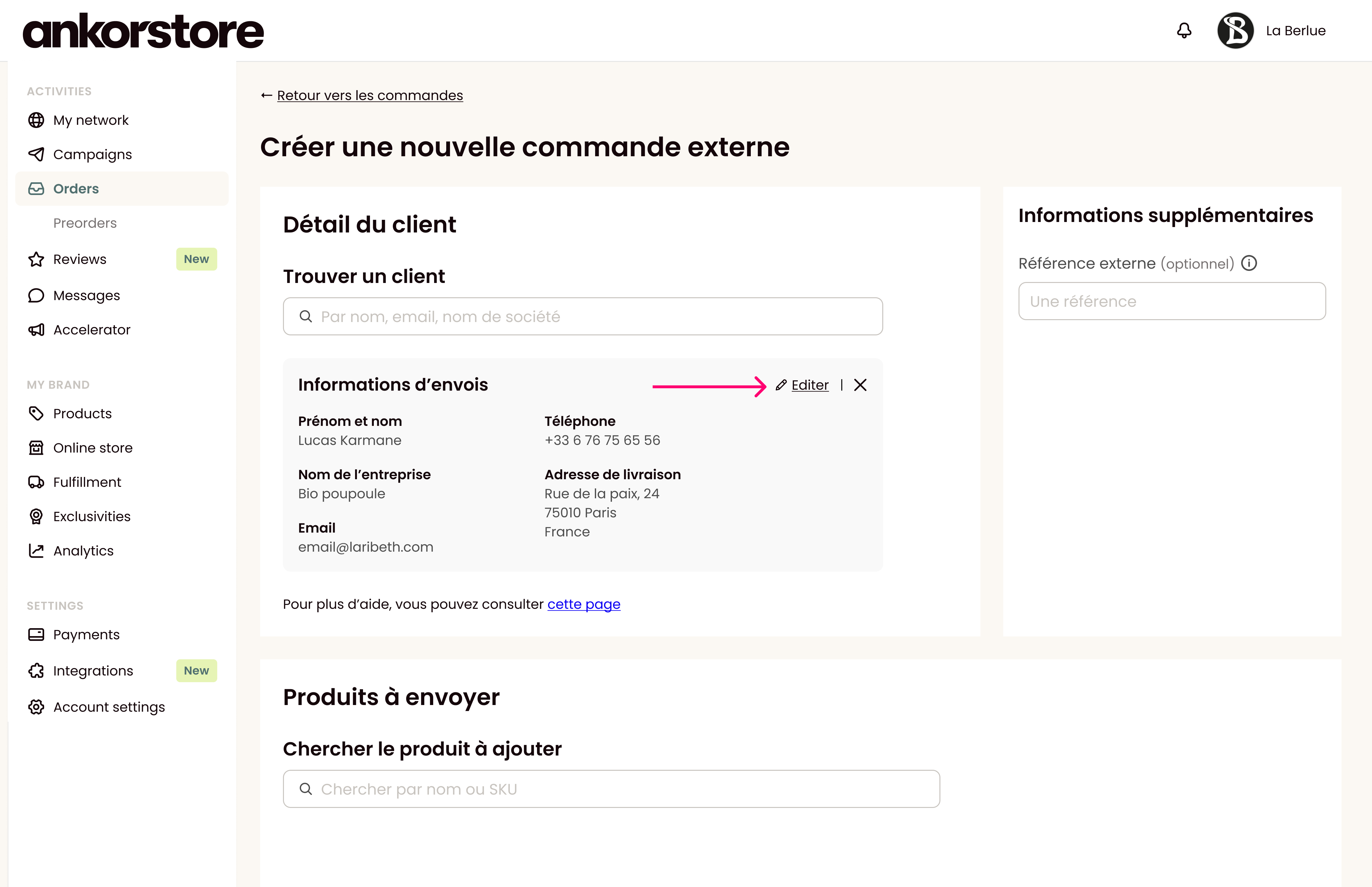
To edit information about a customer, follow these steps:
Search for the customer via the search bar.
On their card, click the button "edit".
Change the information on their profile.
Click "Save information".
Delete a customer
To delete a customer, follow these steps:
Search for the customer via the search bar.
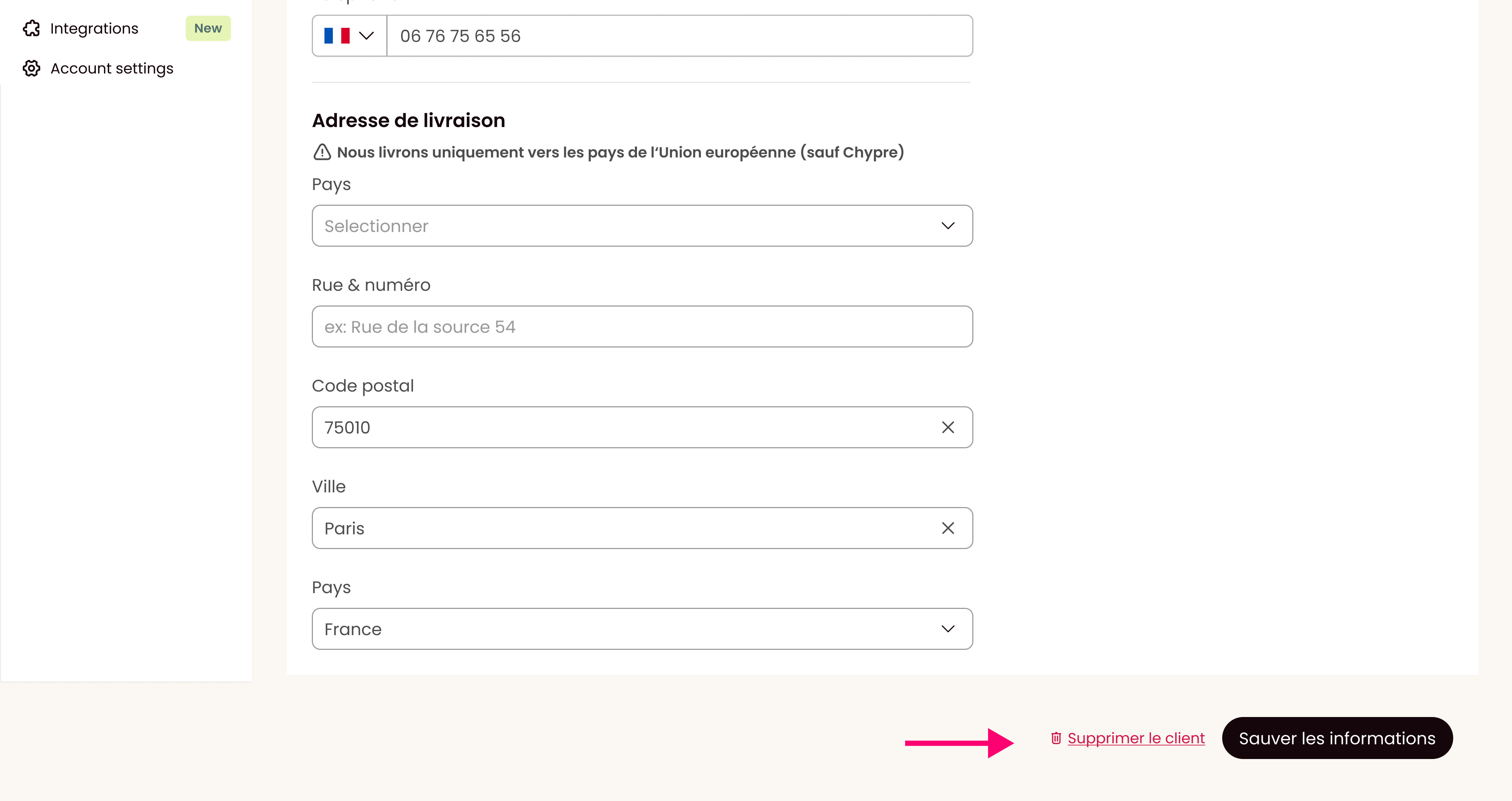
On their card, click the button "edit".
Scroll down to the bottom of the page and click the "delete" button.
Confirm the deletion of the link.
Additional Information
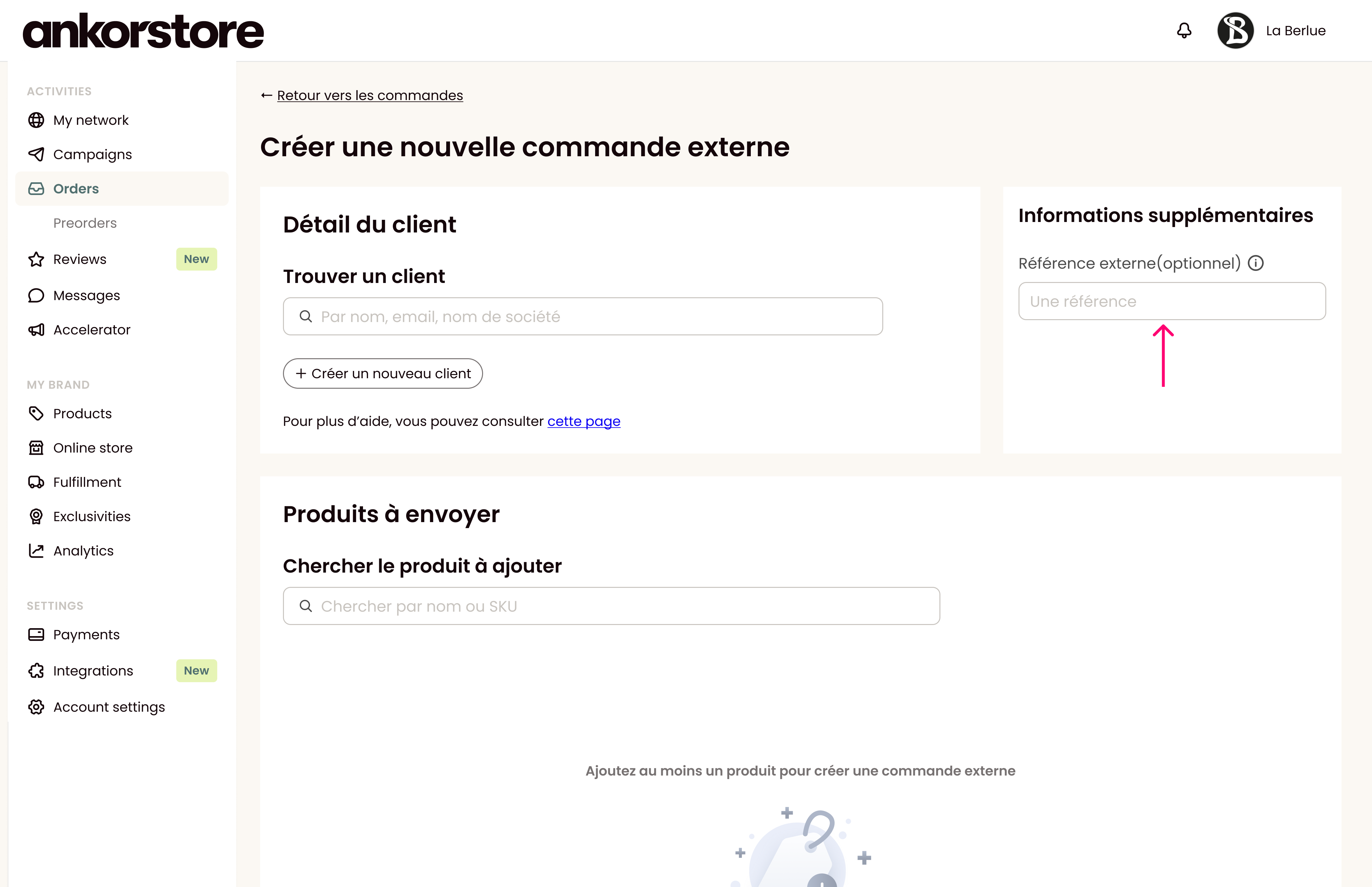
You can now associate another reference you use in another tool to make tracking your orders easier.
Order Management
To add a product to your external order, follow these steps:
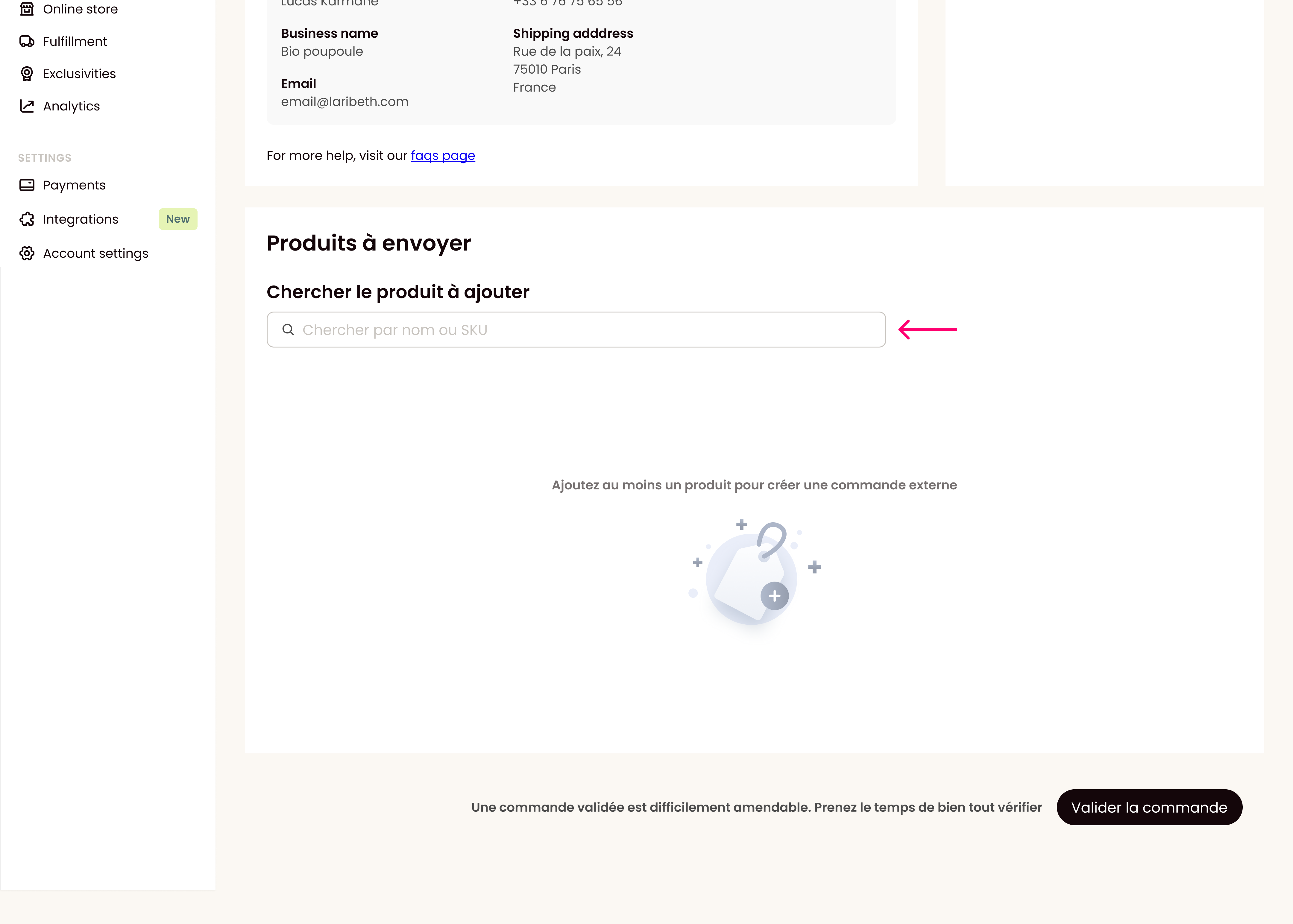
Step 1 - Search for the product via the search bar. You can search by product name or SKU.
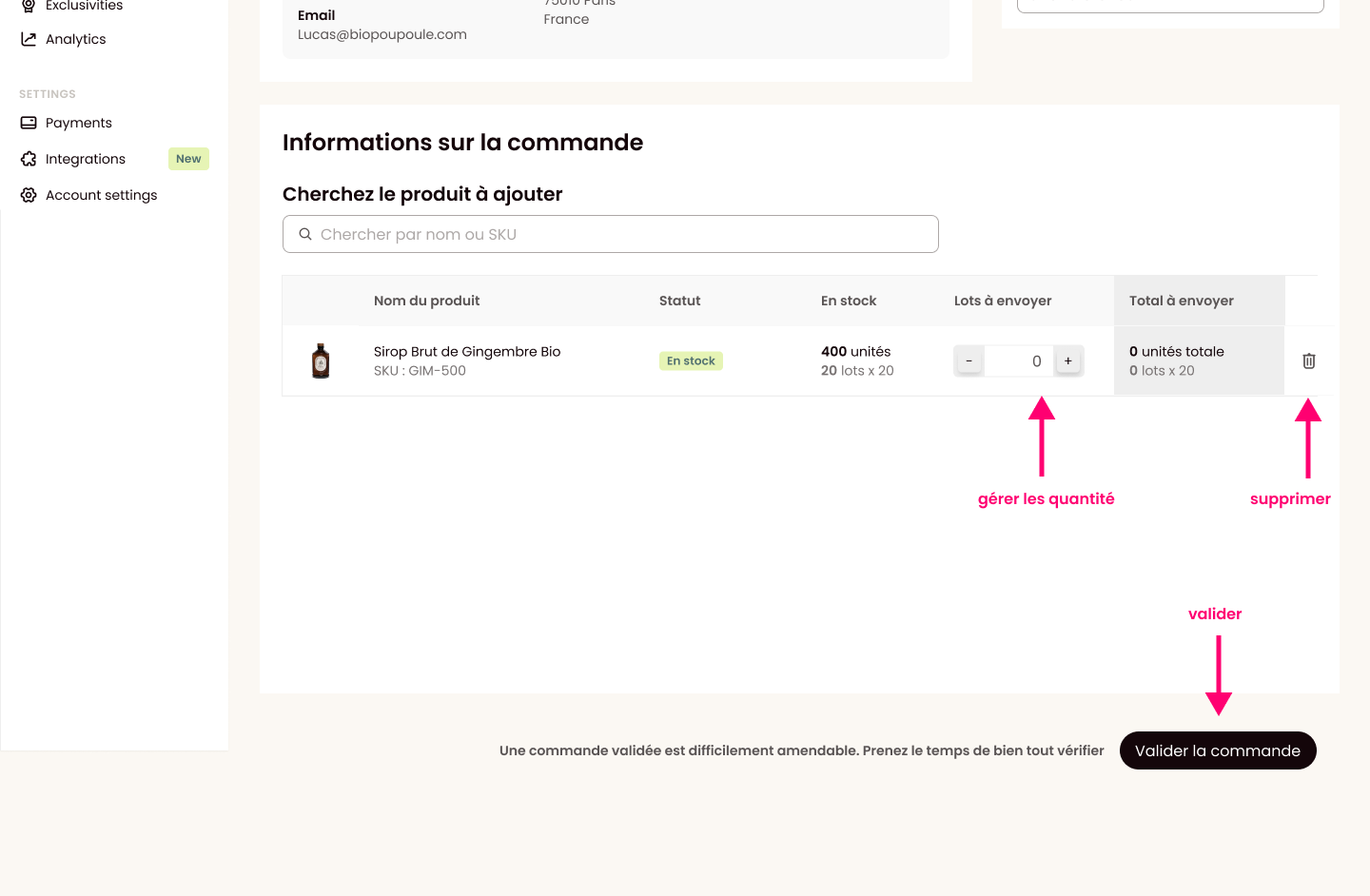
Step 2 - Specify the quantity of units/lots you need to send.
Step 3 - To add another product, repeat the previous steps.
Send the external order
Once all the information is filled out, all that's left is to click the "Validate the order" button.
Your order is directly created in your order list. The Ankorlogistic Fulfillment team will take care of it!
Note: At the moment, it is difficult for us to amend a validated order. Please take the time to verify everything before sending this order.
If you encounter any issues, feel free to contact the person handling your brand at our Ankorlogistic Fulfillment center.
Send an order to Switzerland or the UK
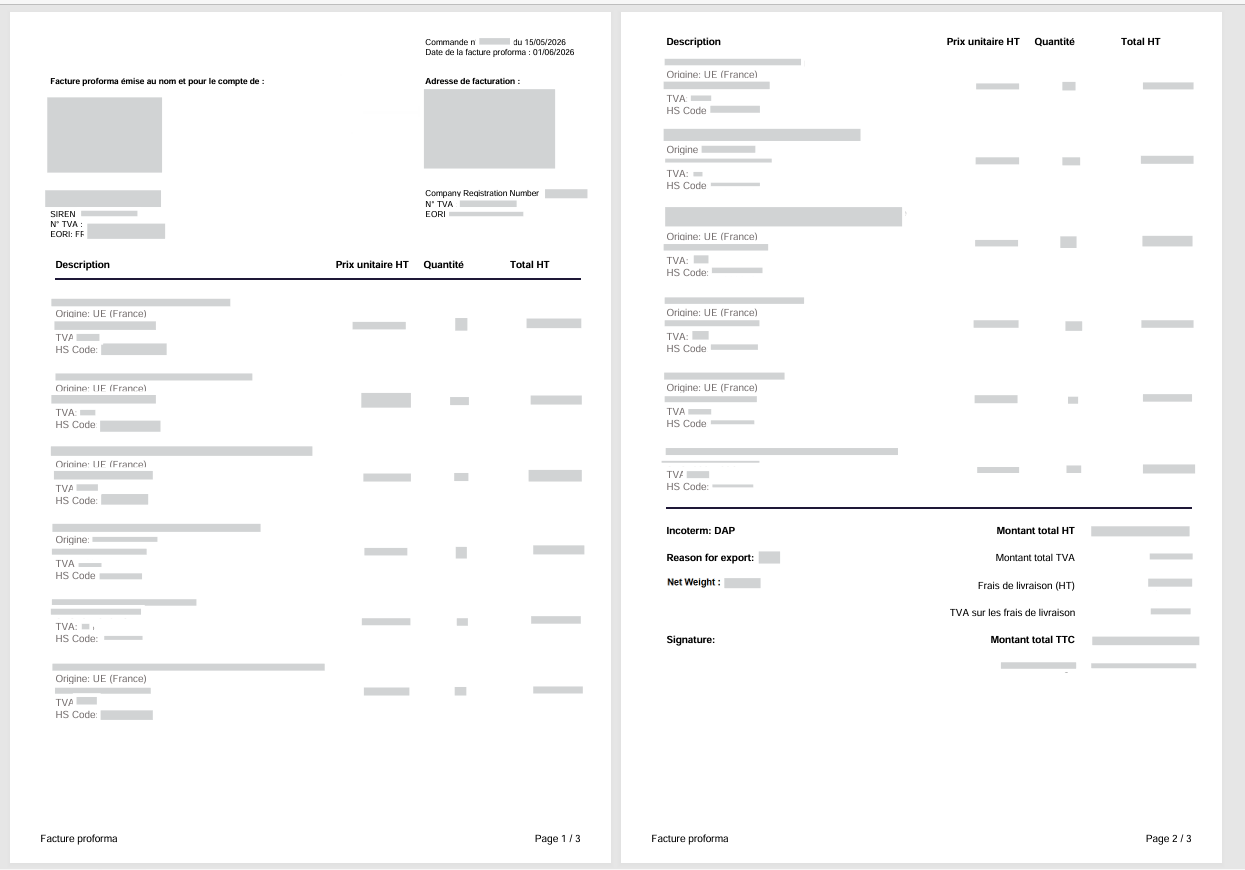
When shipping a pallet or parcel to Switzerland or UK, your invoice must include the following:
Prices excluding VAT, with no zero values.
Quantities
Your 14-digit SIRET number.
Full sender address (French exporter) and Swiss/UK billing & delivery addresses.
Your customer’s EORI code,
Incoterm (must be DAP),
HS code,
Gross/net weight.
Goods origin, state the country of origin on the invoice.
💡 For new customers, check that they are EORI-registered with customs before shipping. Also make sure business name on the invoice is matching with the one under the registered EORI.
Invoice example below
Can I ship products that are not for sale (samples, competition entries, gifts, etc.)?
Yes, this is possible. However, customs still requires proper documentation regardless of the commercial nature of the shipment. Here are the key rules to follow:
On the Invoice
A commercial invoice is still mandatory — it is a customs document, not just a sales document
The declared value must reflect the real market value of the goods (value 0 is never accepted)
Clearly state the purpose of the shipment with one of the following mentions:
"NOT FOR COMMERCIAL SALE — SAMPLE ONLY"
"NOT FOR COMMERCIAL SALE — COMPETITION USE ONLY"
"NOT FOR COMMERCIAL SALE — GIFT"
All standard invoice fields still apply: EORI, product description, HS code, Country of origin, weight, Incoterm, sender and recipient addresses
Specific documents when shipping on pallets to Switzerland or the UK
Attention: A fee of €40 applies for orders sent on pallets to the United Kingdom or Switzerland.
Other than the invoice, below two documents need to be filled and attached:
Switzerland pallet order for which the value exceeds 6000€
EUR1 certificate template:
United kingdom pallet order:
Carrier representation mandate:
MBI template:
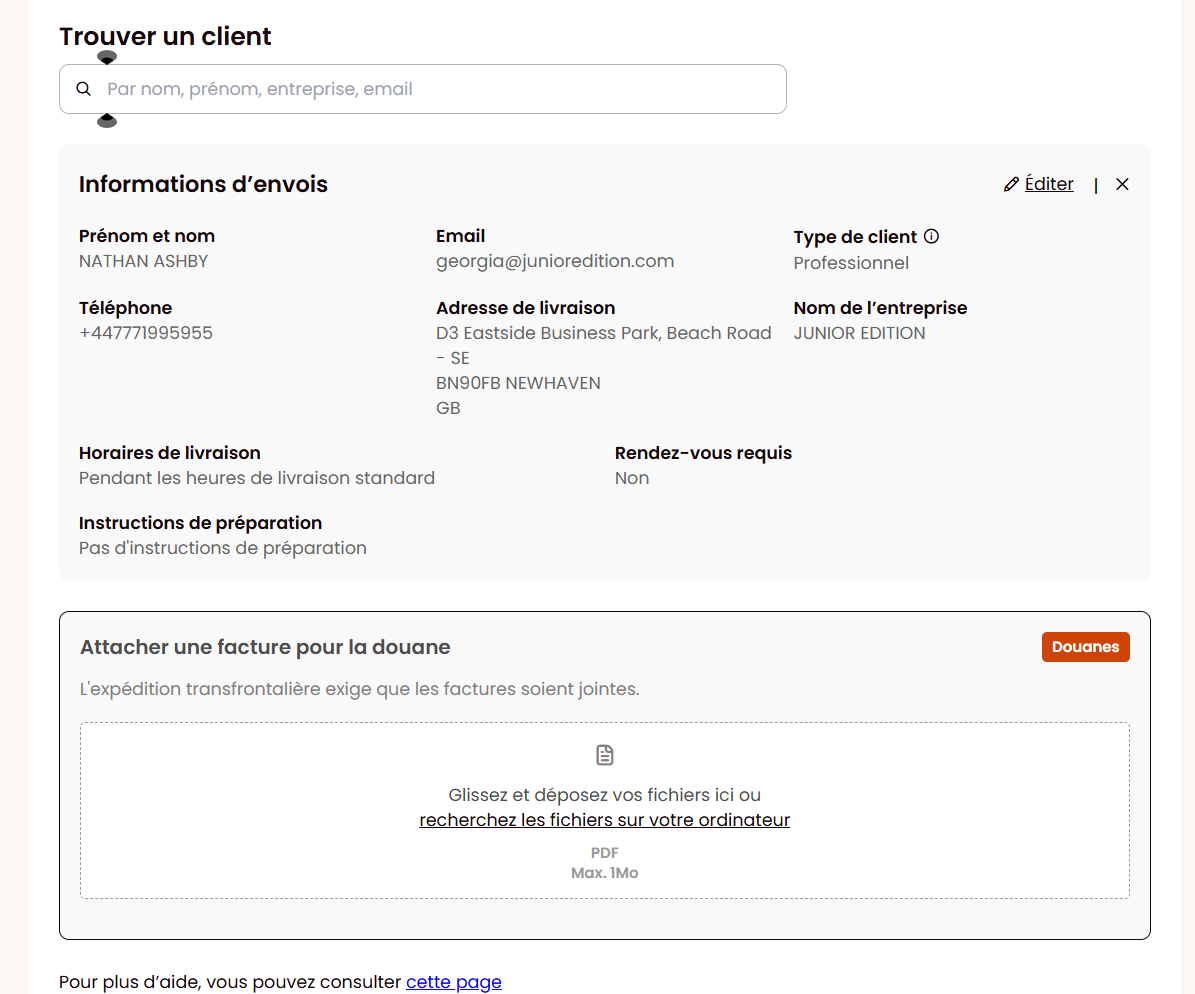
What is this field for?
Send us the customs clearance necessary documents so they can be included with the order for shipment to the United Kingdom or Switzerland.
How does it work?
Step 1 - Upload your documents (PDF format only).
Step 2 - The documents are sent to the carrier for customs clearance.
Eligibility
Criteria | Eligibility? |
Order containing products not eligible for cross-border flow (non-eligible HS code) | ❌ No |
B2B customers | ✅ Yes |
B2C customers | ✅ Yes |
Pallet flow | ✅ Yes |
Parcel flow | ✅ Yes |
Important Reminder
⚠ Responsibility:
You are fully responsible for:
✓ The compliance of the documents provided.
✓ The accuracy of information on the invoice. The following information is mandatory: HS code, country of origin, EORI number, incoterm (must be DAP).
Ankorstore has no obligation to verify the compliance of this information and cannot be held liable.
Points of Attention
🔍 Before uploading your document, check:
PDF format only.
Size 1 MB.
Sufficient print quality (minimum 150 dpi).
Complete and correct information.
The document must not contain handwritten information (it is an official document).
Dispute Management
To understand how our dispute management works for your external orders, you can consult the page 📄 Dispute management for orders sent by Ankorlogistics Fulfilment.