How to book an appointment with Geodis?
Last updated: July 21, 2026
We are improving how to book an appointment with Geodis to send your replenishment to offer a better experience on this important topic to provide the best experience with our fulfillment service.
It will ensure that your items are received properly and you can have a complete overview on the replenishment delivery progress.
Pre requiste - You should first create a Replenishment
How to create a replenishment ? Log into your Ankorstore account and declare the replenishment in the fulfillment section. Make sure to enter all mandatory details such as shipping carrier, shipment type, and item quantities.
What happens if I send a replenishment without booking an appointment? Geodis may reject your shipment, causing delays and additional shipping costs. It is crucial to confirm your appointment to avoid these issues.
How do I book an appointment for my replenishment with Geodis?
There are several possibilities, depending on who delivers the replenishment:
Delivery is made by the Ankorstore carrier : you don't have to do anything, the Ankorstore carrier will take care of everything.
Delivery is made by your carrier
⚠ Please ensure an appointment is booked at least 48 hours before the delivery in our warehouse.
Step 1: Once you have created the replenishment, you will see a summary of your replenishment declaration.
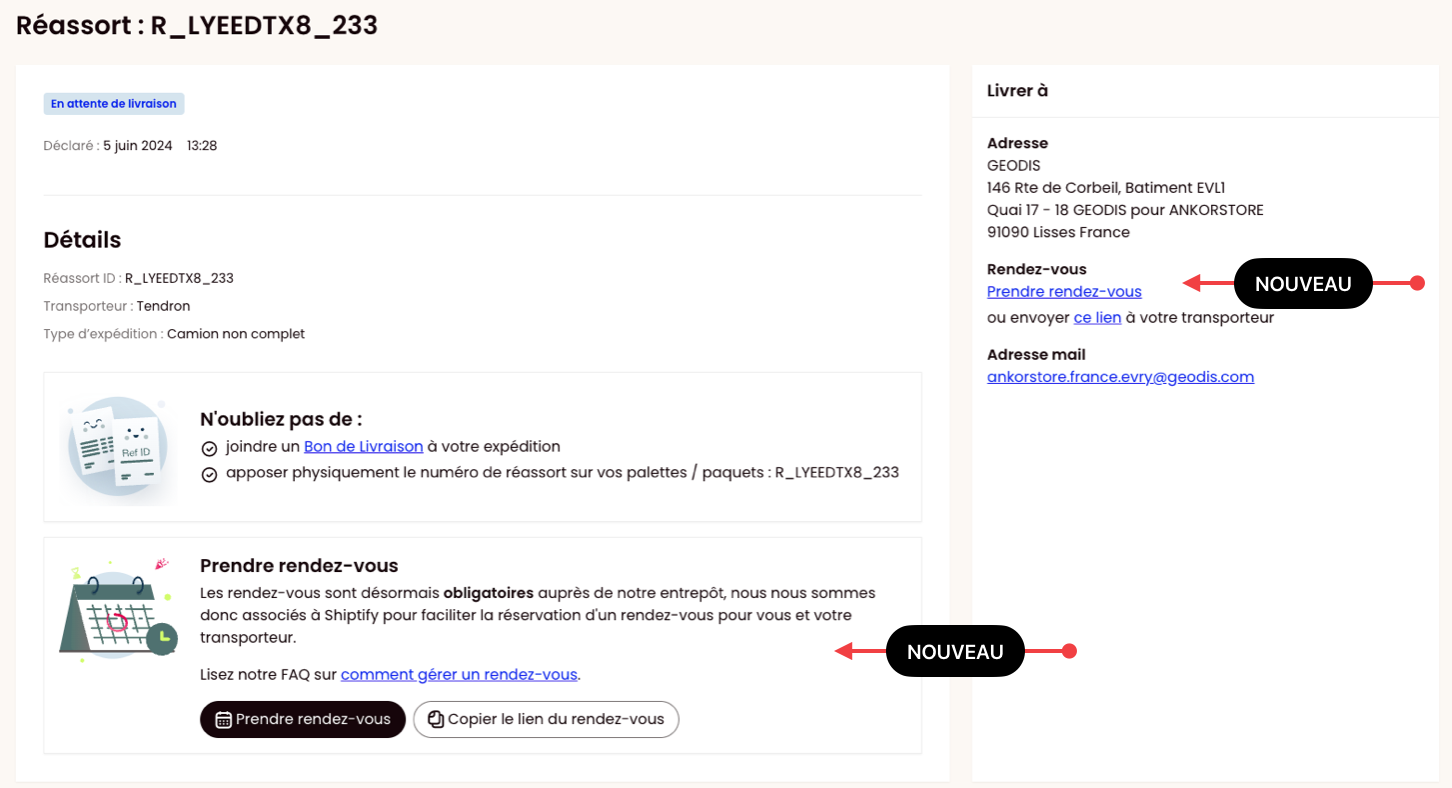
Step 2: Share the link provided with your carrier so that they can book an appointment. You can also provide them with the appointment guide.
Delivery is made by you
⚠ Please ensure an appointment is booked at least 48 hours before the delivery in our warehouse.
Once you have created the replenishment, you will see a summary of your replenishment declaration.
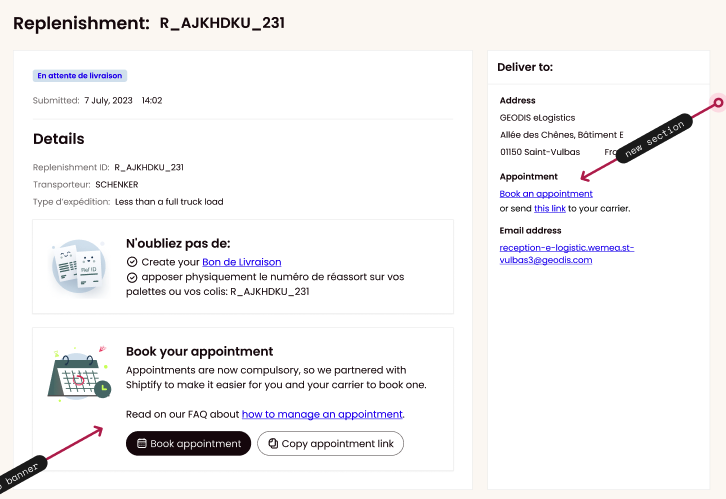
Use the link provided to book an appointment. Access the link provided to enter your details and select an available time slot for your delivery.
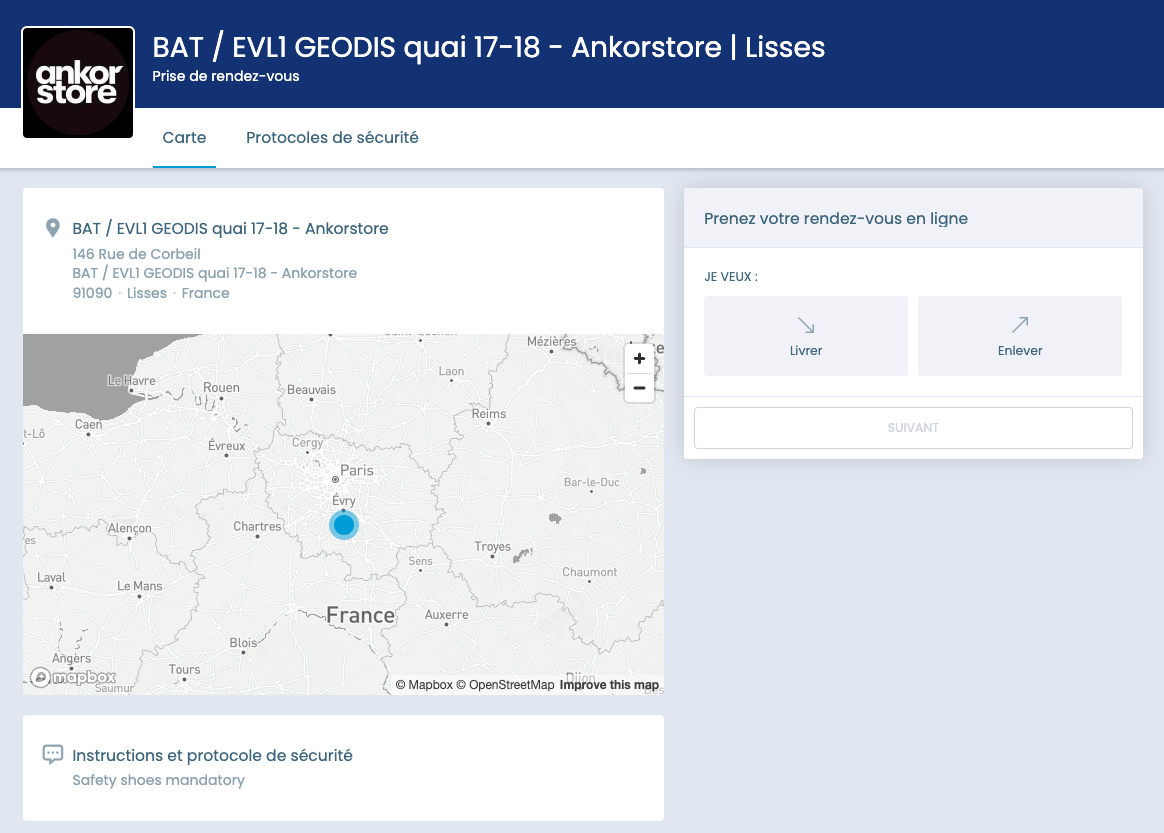
Step 1: Initiate the appointment
Set your email
Choose “Livrer” / “Deliver”
Select your status (if you’re a brand select “Fournisseur”, if it’s the carrier select “Transporteur”
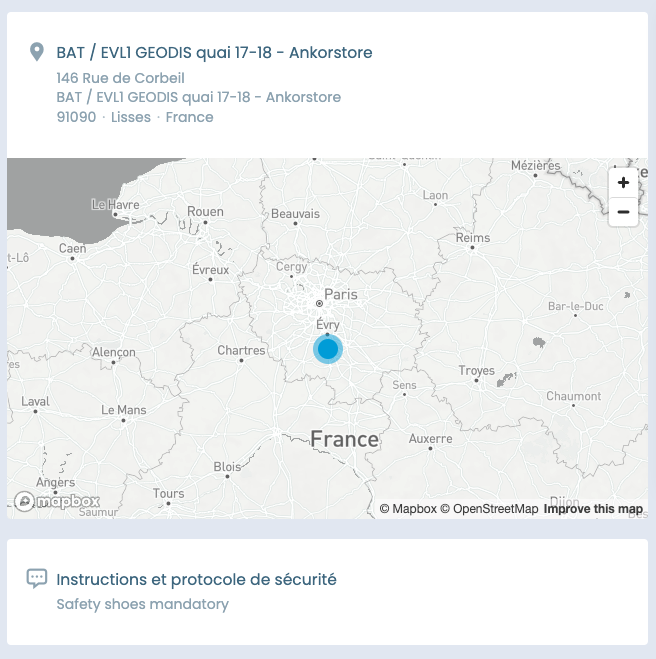
Instructions details
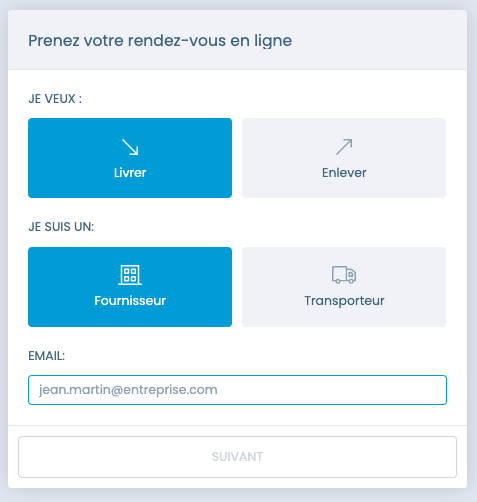
At this step, you’ll get more details about:
the location
the security instructions
Step 2 : Details about the delivery
Complete with your replenishment reference ( exemple : R_AJKHDKU_231 ) and your brand name and the email address you want to receive the appointment confirmation to
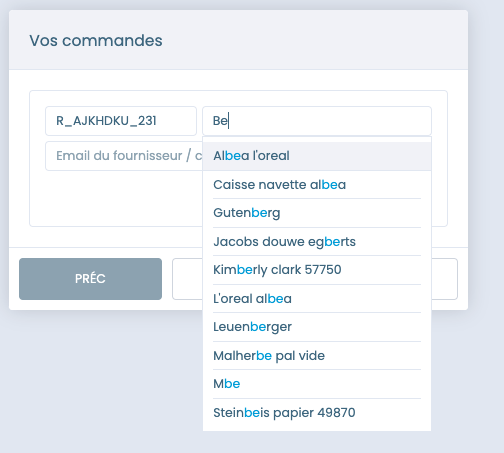
Click next, you can add another replenishment if required
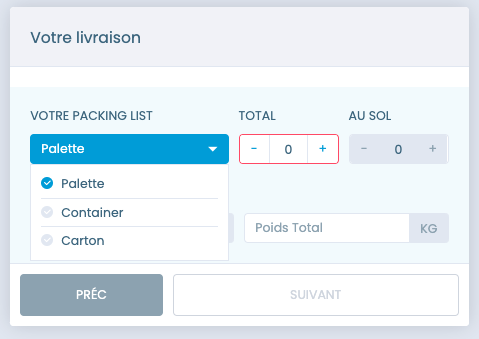
Step 3 : Packing list
Select the zone
Complete the packing:
“container”
“palette”
“parcels”
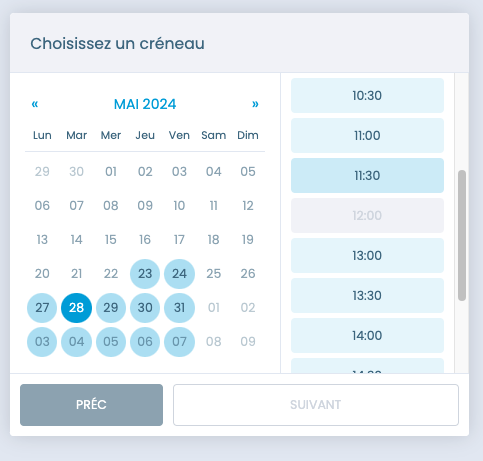
Step 4 : Select the date and time
Select a slot. If it appears in grey it means there is no timeslot left so you should pick an other one coloured
Step 5 - Appointment Overview
The final step is an appointment overview where you can verify your inputs.
When everything is fine you can confirm the appointment
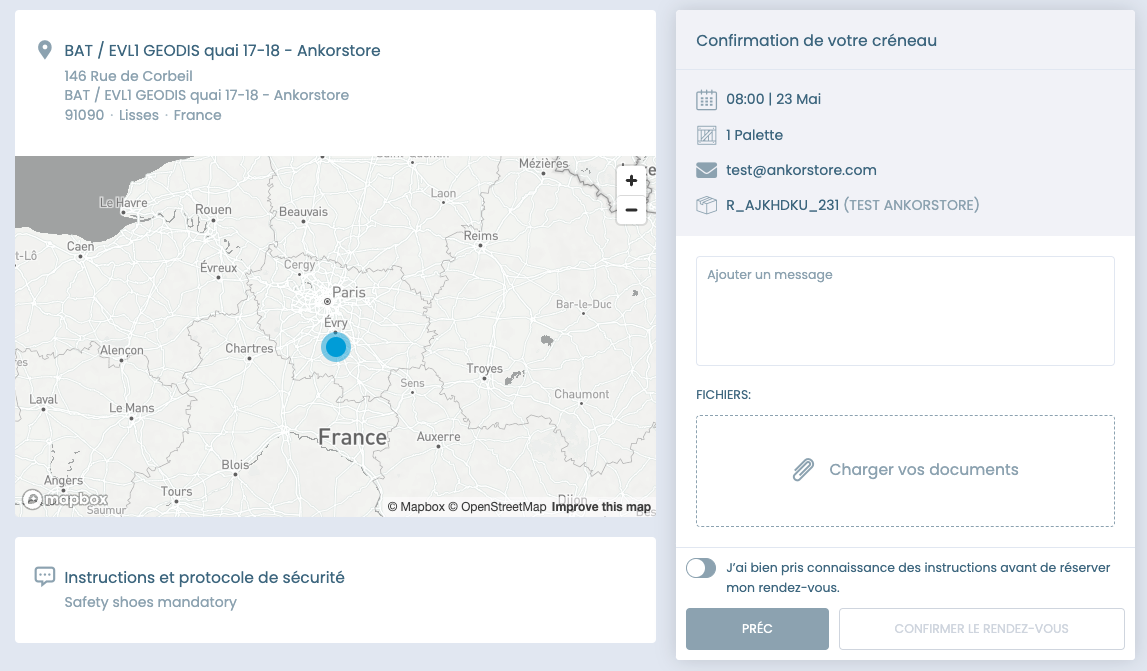
By following these steps and guidelines, you can ensure a smooth replenishment process with Geodis.
How can I verify my appointment status?
You will receive an email with the details about your appointment. You can edit or cancel it.
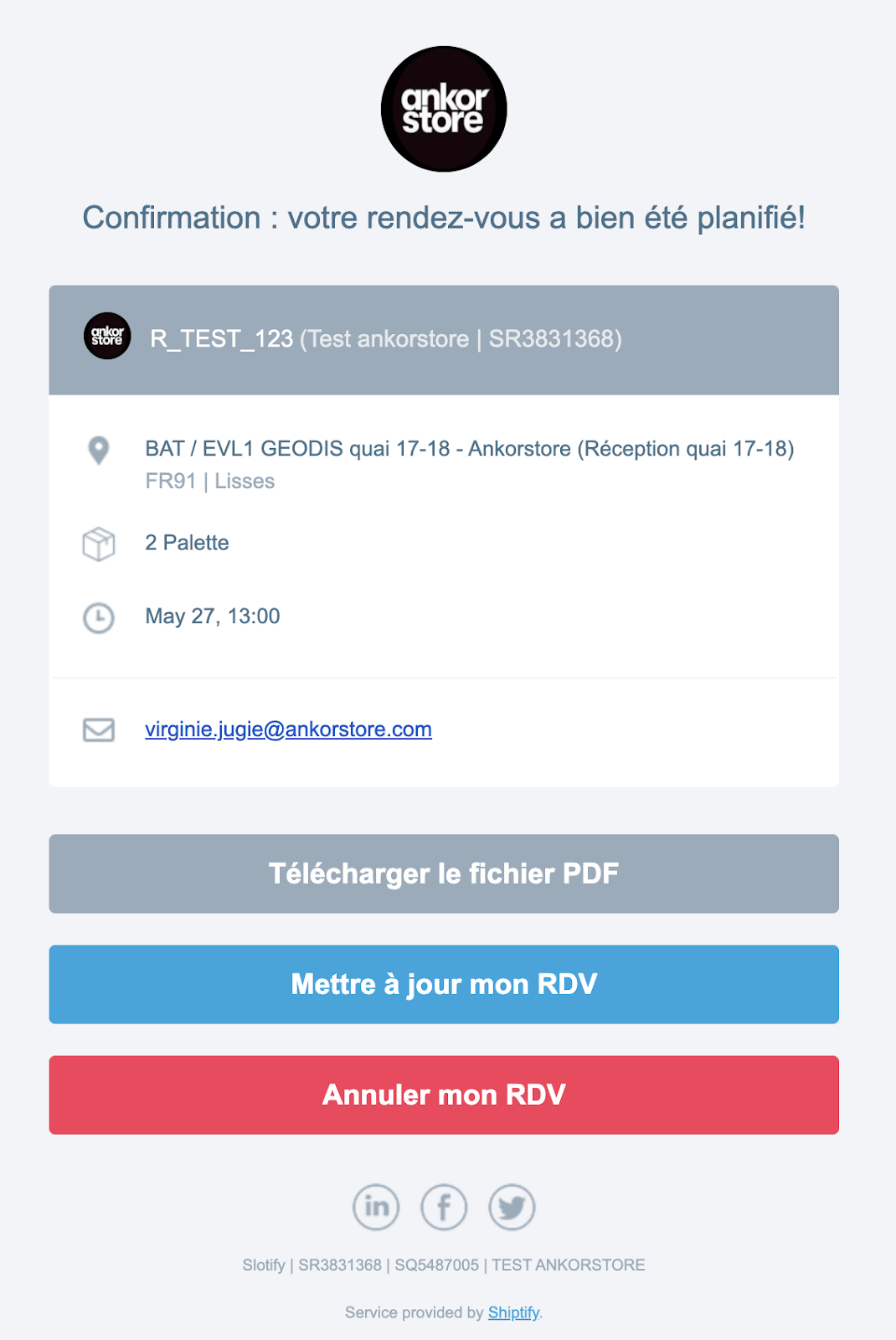
You can only modify your appointment by adding/editing comments and adding documents.
If you wish to change the delivery slot, you must cancel the existing slot and then create a new appointment.
FAQ
What happens if I send a replenishment without booking an appointment?
Geodis may reject your shipment, causing delays and additional shipping costs. It is crucial to confirm your appointment to avoid these issues.
What information do I need to provide when booking the appointment?
Ensure you have the correct replenishment ID, delivery date and time, shipment and carrier details. Incorrect or incomplete information can result in delays.
What if my carrier cannot deliver at the specific time provided by Geodis?
If the carrier is not able to deliver :
cancel the existing appointment
book a new one
What should I do if there are discrepancies or issues with my replenishment?
By editing your appointment, you can add any relevant details in the instructions part.
What are the consequences of not following the replenishment guidelines?
Not adhering to guidelines can lead to delays and inefficiencies in processing your replenishments. Always follow the checklist provided to ensure smooth processing.