Optimize the display of your catalogue
Last updated: September 7, 2026
To make your catalog more attractive, place your new products and your best sellers at the top of the list. Out-of-stock items will automatically be relegated to the end.
How to change the order of products in my catalog ?
Step 1 - Go to the Products tab of your back office.

Step 2 - Click the Organize button at the top right.
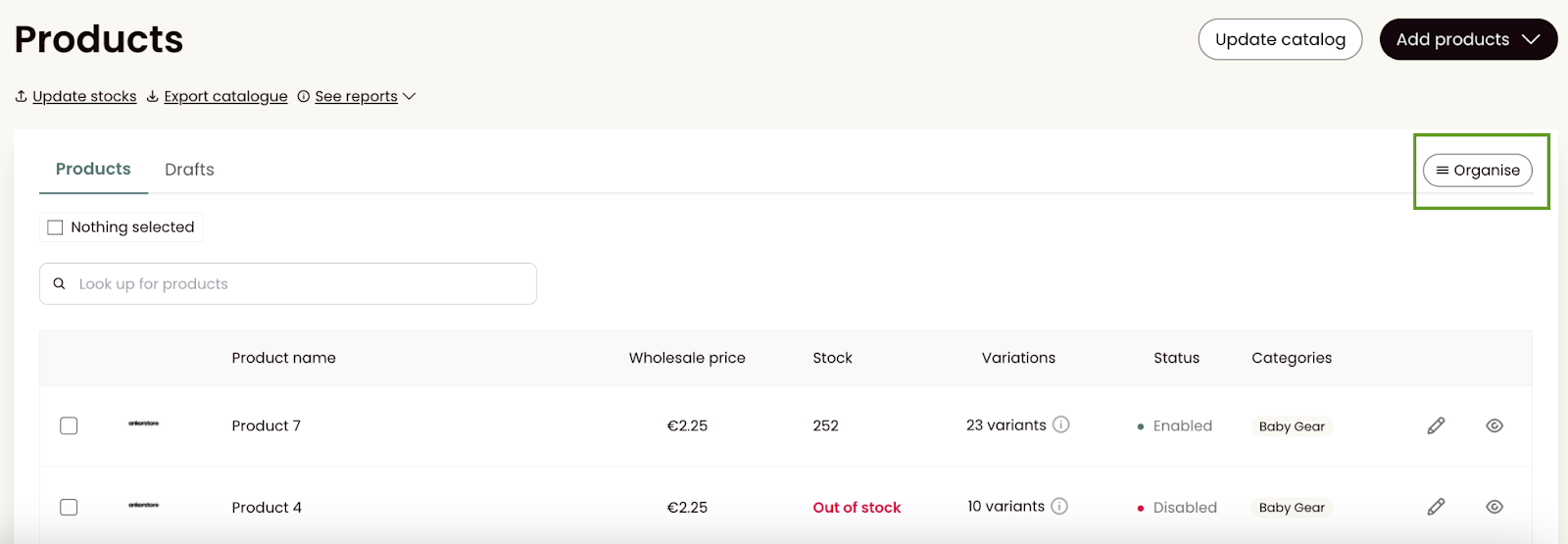
Step 3 - On each page, you will see up to 50 active products. If you have more, navigate using the pages at the bottom of the list.
To rearrange your products :
Drag them to the desired location,
Or change the position number directly on the product title.
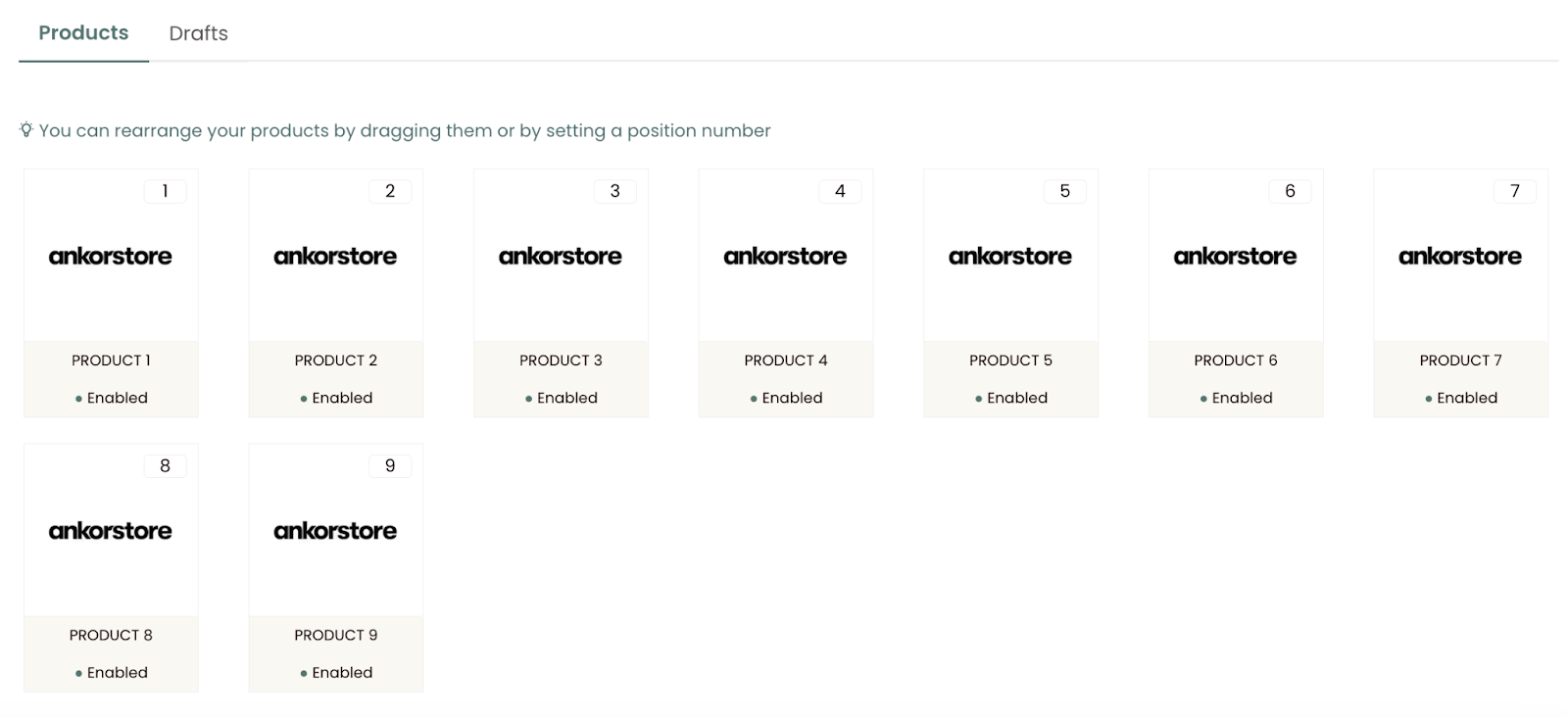
Tip: To move a product from one page to another, enter the number corresponding to the range of the target page.
For example, to move product No.75 (page 2) to the first page, give it a number between 1 and 50.
Good to know: A logical and strategic arrangement of your products maximizes their visibility and encourages purchases.